

Hand off the busywork to Plane Agent
Admins and managers can now ask Plane Agent to do most of what they do in Plane, from sending an offer letter to onboarding a new hire. You choose whether it proposes changes or makes them, and it keeps the work moving while you’re away.🎉 Plane Agent is now generally available. Read the announcement. Not using Plane Agent yet? Enable it from the Features catalog.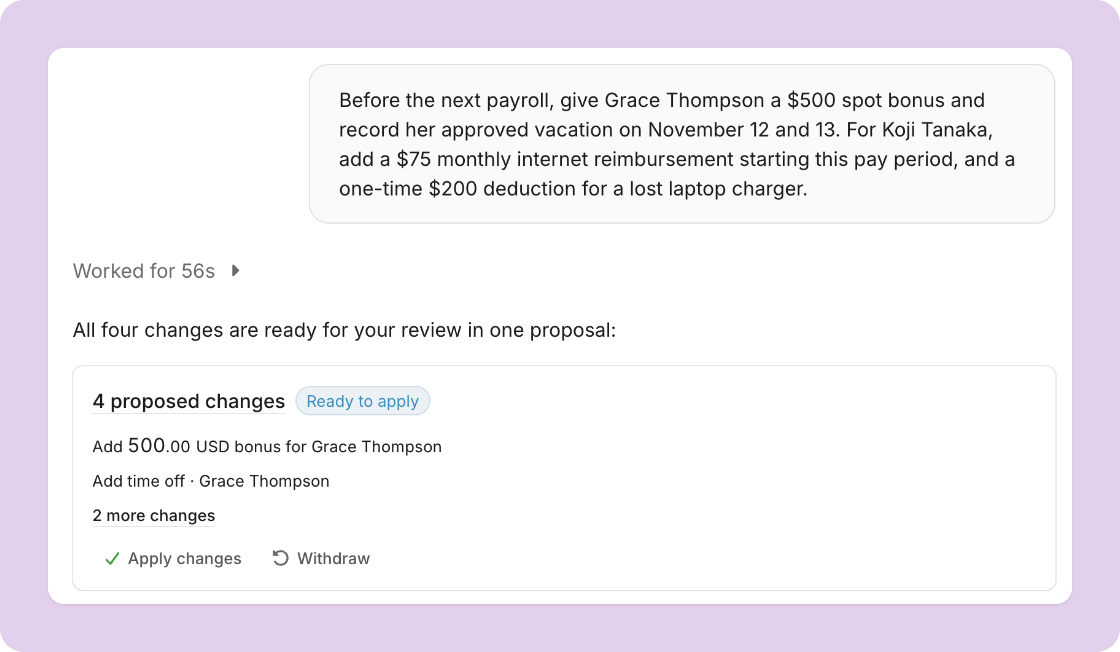
Decide what Plane Agent can change
- Set the permissions: in settings, under Workspace > Agent, choose read, request, or write for each area of Plane. By default, Plane Agent can read and request.
- Nothing changes until you apply it: with read and request alone, Plane Agent proposes each change for review before it’s applied.
- Apply related changes together: ask for several things at once, and the proposed changes arrive together, ready to review side by side and apply in one step.
- See the whole proposal: open a proposal to see every change in more detail.
Do more across Plane
Plane Agent can now take more than 80 new actions across Plane, including:- Onboard a new hire: ask Plane Agent to send an offer letter and start onboarding once it’s accepted. It keeps track of onboarding as it progresses, tells you what’s outstanding, and checks back in when a step stalls.
- Keep team member records current: update a team member’s basic and legal details, addresses, emergency contacts, title, department, manager, work location, classification, and start date, and add time off.
- Run pay: add or edit a pay schedule, create an off-cycle payroll, add deductions, benefit contributions, and recurring reimbursements, end recurring extra pay, pay a contractor’s payment request, and cancel a scheduled payment or compensation change.
- Handle contracts and documents: create a contractor’s contract from Plane’s template, edit, send, or discard a draft contract, and rename, share, or delete documents.
- Manage 1099s: change a 1099 draft, mark it not to be filed, or file a skipped one after all.
- Set up your workspace: add, edit, and remove members and their invitations, rename the workspace, add an entity, change accounting mappings, and update workspace preferences.
Other improvements
- See which conversations moved: open Agent to see your recent conversations, grouped by when each last moved. A dot marks the ones Plane Agent moved forward while you were away.
- Hear when there’s news: when Plane Agent moves a conversation forward while you’re away, Plane lets you know what changed and whether you need to act.
- Pick up an earlier conversation: Plane Agent can read your past conversations, so you can ask about something you discussed before.
Onboard new team members from your AI app
The AI apps you connect to Plane, such as Claude or ChatGPT, can now fill in and submit your company’s onboarding forms for a new hire, and tell you who each remaining step is waiting on.Ask your AI app to onboard a new team member, and it can carry the work from the invitation to the last company form.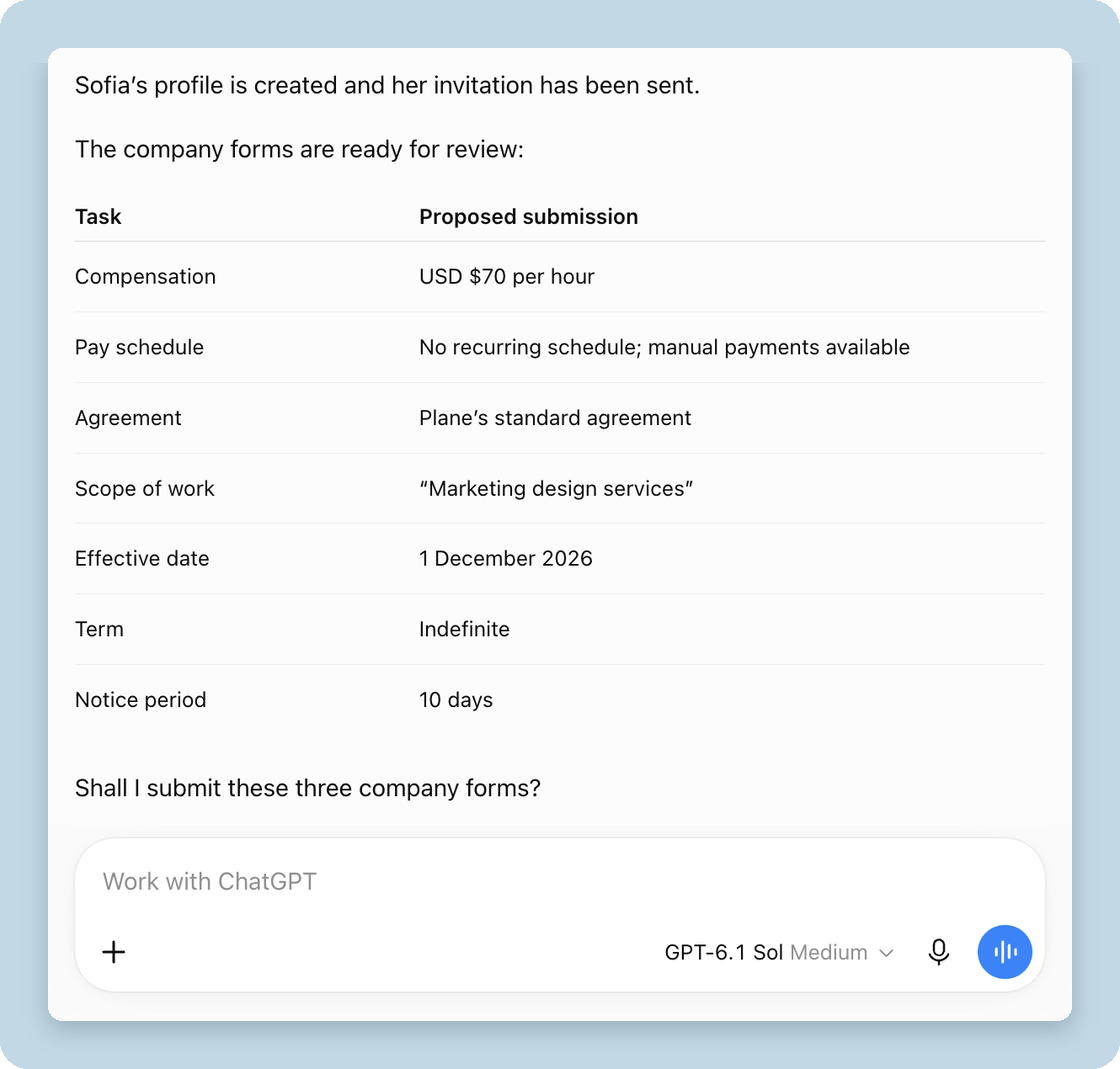
- Fill in your company’s forms: your app completes each company task step by step and shows you what it will change before it makes the change. If it only has permission to propose changes, it waits for a person to approve them.
- See who needs to act on every hire: your app can check all your onboardings at once and tell you which tasks are waiting on your company, the new team member, or Plane.
Other improvements
- Know before final pay is skipped: when a team member is still owed pay after their regular payroll ends, Plane creates an issue under Payroll > Issues before the cutoff if their payroll setup isn’t complete.
- Assign a purpose to payments: on a payment’s page, before it’s processed, open Purpose and choose what it’s for, such as business travel or a type of service, and add a short description for the recipient’s bank. Left on Automatic, Plane uses the default purpose.
- Accounting documentation: Plane’s product documentation now has a section on accounting, covering how Plane connects to your accounting system, how mappings decide where each line is posted, and what a journal entry contains. Start with Accounting.
For builders and developers
- Reason codes on refused requests: when the API or MCP refuses a request, the error lists a code for each reason, such as a missing permission or a recipient who can’t be paid. See Errors.
- One idempotency key, one request: sending an
Idempotency-Keyagain with different parameters fails withalready_performedand changes nothing. Retrying the same request still returns the original response. See Idempotency. - The latest MCP protocol: Plane’s MCP server supports the 2026-07-28 protocol, and clients that connect with the earlier handshake keep working.
Ask Plane Agent right from your Dashboard: follow onboarding, understand payroll, and more
Admins and managers can now start a conversation with the Agent from the Dashboard, or with a single click from a team member, payroll, tax form, or project. Plane Agent can answer more of your questions about onboarding and payroll, and it has a new icon.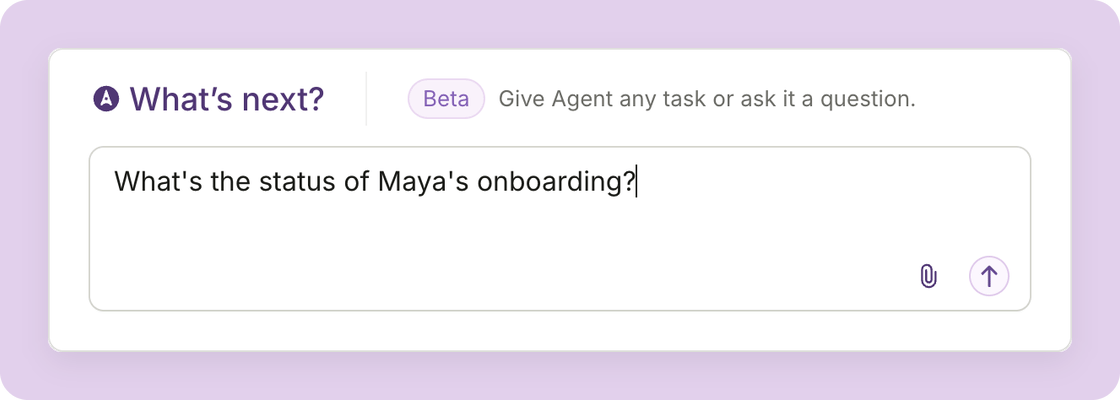
One click from your records
Team members, payrolls, tax forms, and projects now offer ready-made prompts. Look for the Plane Agent icon to explain late or short payments, compare a payroll item to the last pay period, or summarize a contract. You can edit the prompt before you send it.Get more detailed answers
- Follow onboarding: ask where a new hire’s onboarding stands, which tasks are open or overdue, and who needs to act.
- Ask what’s in a document: Plane Agent now reads a team member’s documents, so you can ask about what they say, not just whether they exist.
- Check contract terms: ask about a team member’s contracts, their terms, status, and who has signed.
Other improvements
- See its reasoning: follow what the Agent is doing as it works. It folds away beside the answer when it’s done.
- Stop a reply: press Stop while the Agent is working.
- Manage its settings: Plane Agent has its own settings page, under Workspace > Agent in settings.
For builders and developers
The AI apps you connect to Plane through MCP can now follow onboarding and read contracts, too.- Onboarding progress: list a team member’s projects, and get each project’s tasks with their status, due date, and who needs to act.
- Contracts: list a team member’s contracts with their terms, status, and signatures.
Keep your department list current: archive and restore departments
Admins can now archive the departments their organization no longer uses. Archived departments aren’t offered for new assignments, but everything already recorded stays as is.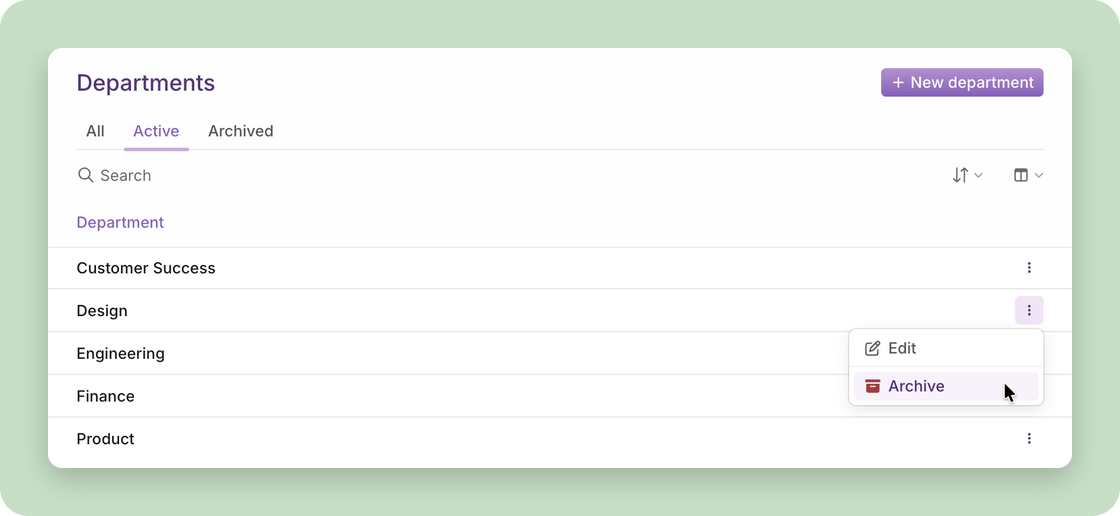
- Archive and restore from People > Departments: choose Archive from a department’s menu, and Restore to bring it back.
- Existing assignments stay in place: team members already in an archived department stay in it, and accounting settings that use it keep working.
- Plane Agent can archive and restore departments: once an admin allows it, ask it to retire the ones you no longer use after a reorganization, and use it to find anyone still assigned to an archived department.
Other fixes
- Department names stay unique: a department can’t take a name another department in your organization already uses. In a team member’s job information, if you choose Create a new department from the Department field and enter the exact name of an active department, Plane assigns that department instead of creating a new one.
- Manual payroll payments are properly handled in accounting: when an employee’s net pay is paid outside Plane, such as by wire or check, the payroll journal entry records it as Net pay paid outside Plane, a payable you clear against the payment you sent. Map it in Accounting > Settings > Mappings, under Payroll payables.
For builders and developers
You can now archive and restore departments from MCP and the CLI. Department lists can be filtered to active or archived, and they include the date each department was archived.Plane Agent does more and is even easier to use
Plane Agent can now take more actions on your behalf: add team members, record compensation, decide on time-off requests and expense reports, and more. We’ve also made it easier to search and navigate, and the Agent is more knowledgeable about Plane itself.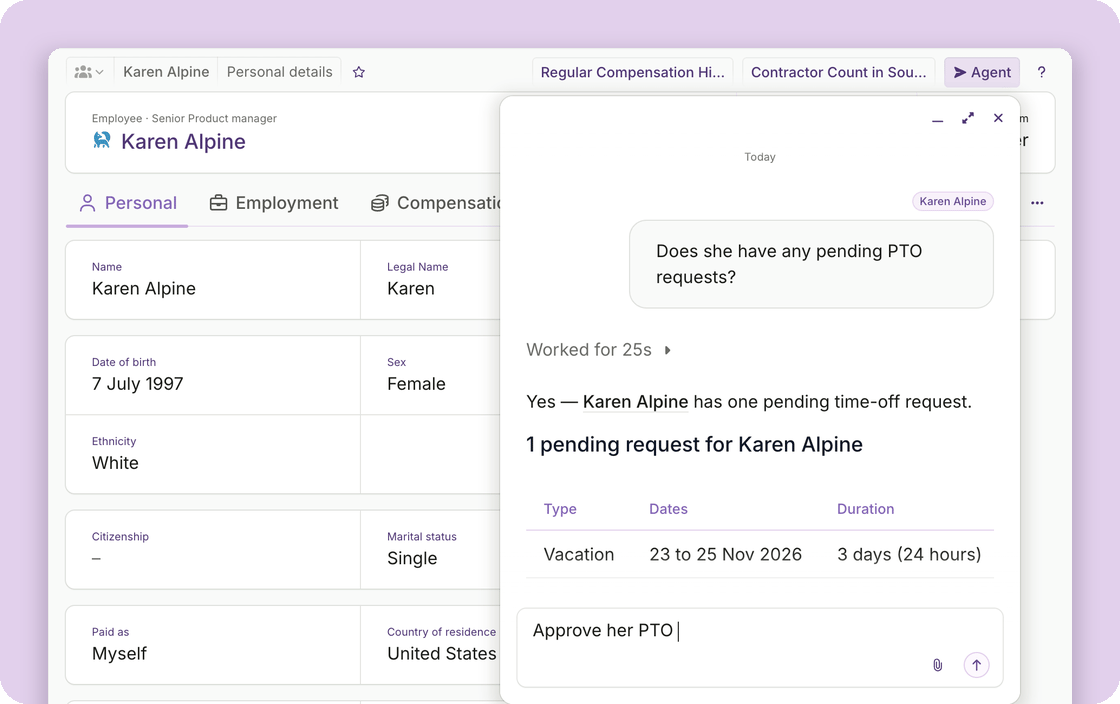
Do more with Plane Agent
An admin chooses which of these Plane Agent can do. Once allowed, ask it to:- Add team members: create the record and send the invitation.
- Record compensation: a new salary, a bonus, or another one-time earning.
- Decide on time-off requests: approve or decline, with a reason.
- Decide on expense reports: approve, reject, or mark as paid outside Plane.
- Decide on payroll items: approve, cancel approval, skip, or unskip.
- Decide on contractor payment requests: approve or decline. Approval does not pay; the payment follows as it always has.
- Create workforce plans and calculations.
- Terminate an employee or contractor: the agent first tells you what applies, such as a notice period, an active contract, or an upcoming payroll, and goes ahead once you confirm. Employer of record terminations stay with Plane.
Easier to work with
- It moves with you: the conversation stays open as you navigate around Plane. Minimize it to the toolbar and pick it up where you left off.
- It knows the record you are on: open a record, such as an employee, and that record is added as context. Ask “when was her last raise?” without naming the employee.
- Your earlier conversations are easier to find: quickly see your most recent, or search your history.
- Plane Agent knows more about itself: ask how something works or where a setting lives, and it answers from Plane’s documentation with links to the pages it used.
- Follow-ups take one click: the agent now offers the obvious next question as a button under its answer.
Other improvements
- Reports have been rebuilt: People, payroll, payments, time entries and almost every other report now share one design. Search inside a report, filter a column to a value or a date range, group by up to two columns, choose which columns you see, and download the result as CSV, Excel or PDF. Save any of it as a view, which keeps your filters, sorting, columns and grouping, and belongs to you rather than the workspace.
- Deductions for contractors: add a one-time or recurring deduction from a contractor’s Payments tab, as a fixed amount or a percentage of earnings. Plane withholds it from their next scheduled payment and shows it on their earnings statement. Available for contractors on a pay schedule.
For builders and developers
We have extended Plane’s other surfaces alongside the agent.- Offers: create one from a template or from scratch, update it, send and resend it, extend its expiry, or void it. Available through the CLI, MCP, and Plane Agent.
- Contractor payment request decisions: approve or decline a pending request, recorded against the member who asked. Available through MCP and Plane Agent.
- Payroll enrollment facts: list each team member’s payroll enrollment, whether they are eligible, and what is still outstanding. Available through MCP and Plane Agent.
Ask your AI app to make changes, with limits you set
Admins can now let a connected AI app do more of the work, not just the research: approve payroll items, approve or reject an expense report, give a team member a bonus, and more. Each connection gets only the permissions you give it.A toolset controls which tools a connected AI app can use. You set its permissions: read workers, write expense reports, and so on.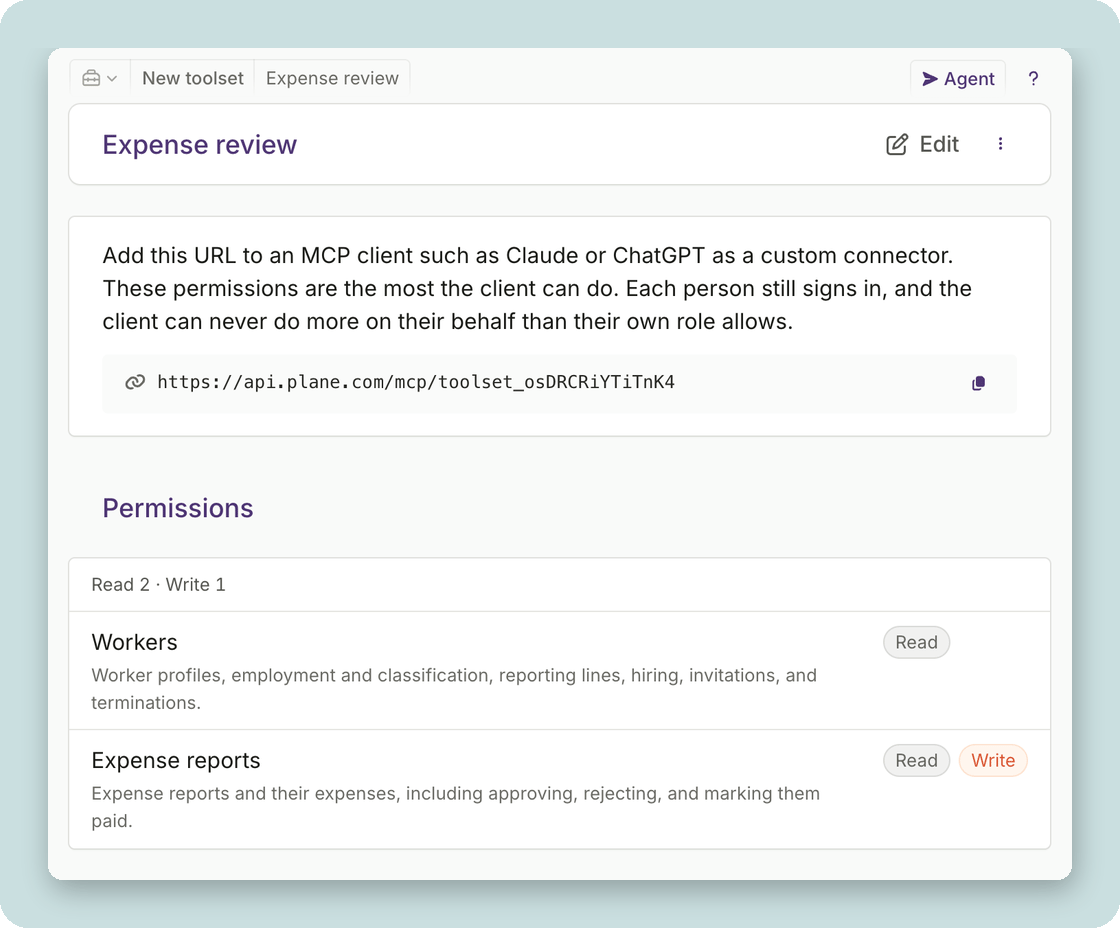
Personalize Plane’s sidebar: reorder, hide, and add favorites
Every admin and manager can now personalize their own sidebar. Reorder the items you use most, hide the ones you don’t, and keep the pages and people you return to in Favorites.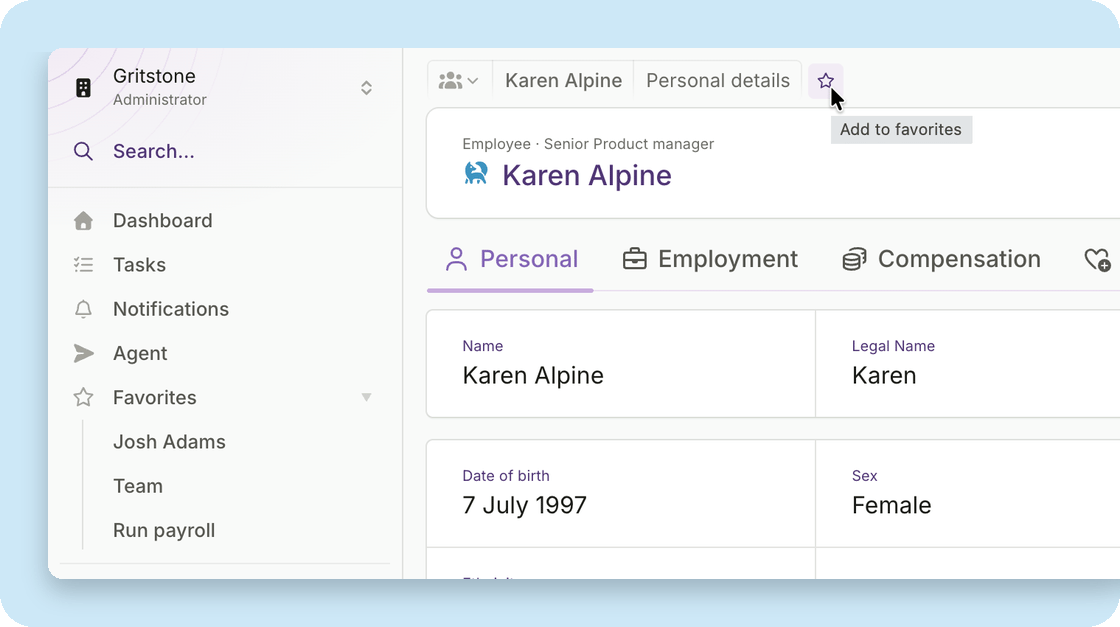
Arrange the sidebar around your work
Right-click any item in the sidebar to reach the Sidebar settings page. Reorder the items to suit how you work, and hide the ones you don’t use. Hiding applies to the top-level items. For example, hide Payroll and the items underneath it go, too.Your own items always show, and anything you hide moves into More, just above Configure. Reset puts everything back the way it started.Keep what you use in Favorites
Favorites appear in your sidebar once you add the first one, below your own items and in the order you added them. Today you can favorite:- any page in the sidebar
- a saved view
- a person
Other improvements
We continue to make changes across Plane to unify its design and improve the experience.- Every page shows how you got there: The path at the top names where you are and the steps that got you there, and any earlier step takes you back.
- Type a date instead of clicking through months: Every date field takes typed input, such as next Tuesday or 05/19/27, and the calendar shows you the match before you commit it. Pay periods and the days in a time off request work the same way.
- Clearer explanations on pages: A page for a feature your workspace has not turned on now says what it does and how to start. A page for something you have not used yet shows you how to begin. And when you have worked through everything on a page, it tells you that you are caught up.
- One set of styles across Plane: More screens across the app now use the same set of styles, which gives us a strong foundation as we continue to make improvements.
Ask Plane Agent for answers, reports, and reminders in the app and Slack
Plane Agent (beta), your AI teammate for back-office work, is now available in Plane in addition to Slack. Ask about your team, payroll, payments, onboarding, time, or compliance.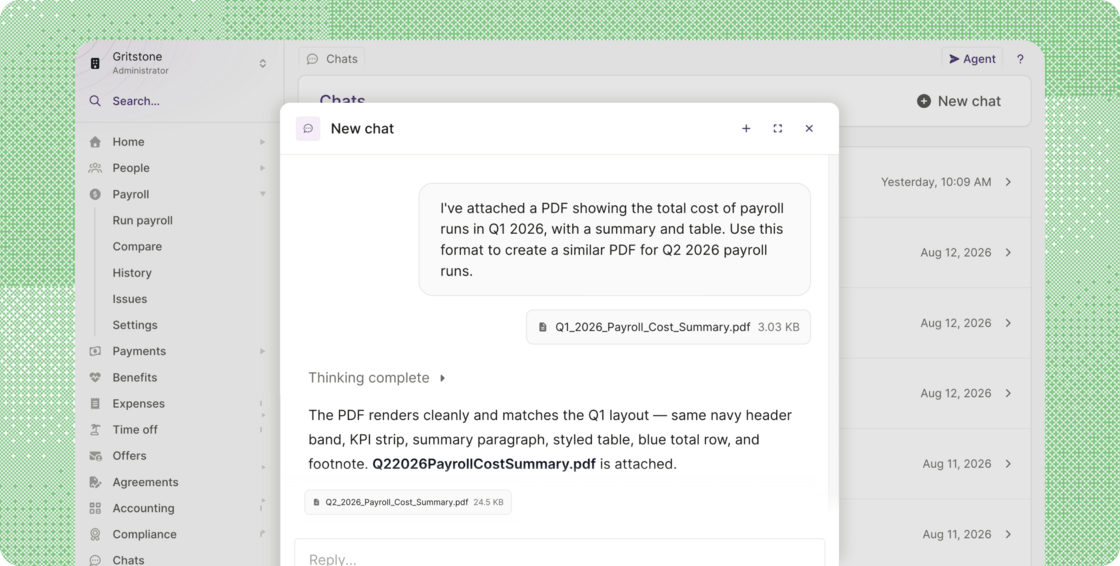
- Three ways to access the Agent in Plane: Use the Agent button in the top right of any page, the command menu (Press ⌘K [Ctrl+K on Windows], then Tab), or Chats in the navigation menu, where your conversations are saved. See Getting started with the Plane Agent.
- Get answers from your own data: Ask it about team members and their profiles, compensation history, payroll status and what’s blocking it, payments and charges, time off, expenses, or who’s still missing a W-8, W-9, I-9, or W-2. Ask the way you’d ask a person.
- Get the finished report, not just the answer: Plane Agent now reads and creates attachments. Ask for a compliance report on who has signed a W-9 and who hasn’t, and the Agent gathers the data, does the analysis, and hands you the report. Attach a document to show the format you want, and it returns the result as a file you can download.
- Have it remind people for you: When the answer is a list of people who need chasing, ask the Agent to message them. The messages arrive in each person’s Plane notifications, and as a Slack direct message if Slack is connected.
- Your conversations are private to you: Nobody else in your workspace can read them, including other admins and your workspace owner.
Other improvements and fixes
- More detail when you review time off requests: The time off list and the review window now name the days: a request for non-continuous days reads Fri 11, Mon 14 Sep 2026, and days that run together collapse into a range, such as Mon 10 – Fri 14 Aug 2026. The review window also flags a request that includes a Saturday or Sunday, in case it was picked by mistake, and Time off history shows when someone last took time off and their next approved dates.
- Journal entries for split funding charges: We fixed an issue in accounting where a large funding for contractor payments or invoices, split into more than one charge, could leave a journal entry out of balance. Journal entries now carry one Funds debited credit line per bank debit, so they balance and each line matches a single line on your bank feed.
- Birthday and work anniversary events: We fixed an issue where these events were not created for team members who joined more recently, so they were missing from the calendar feed.
- State on the People report: A State / Province / Region column is now available on the People report, and the filter accepts either the full name or the code, so Colorado and CO both return results.