

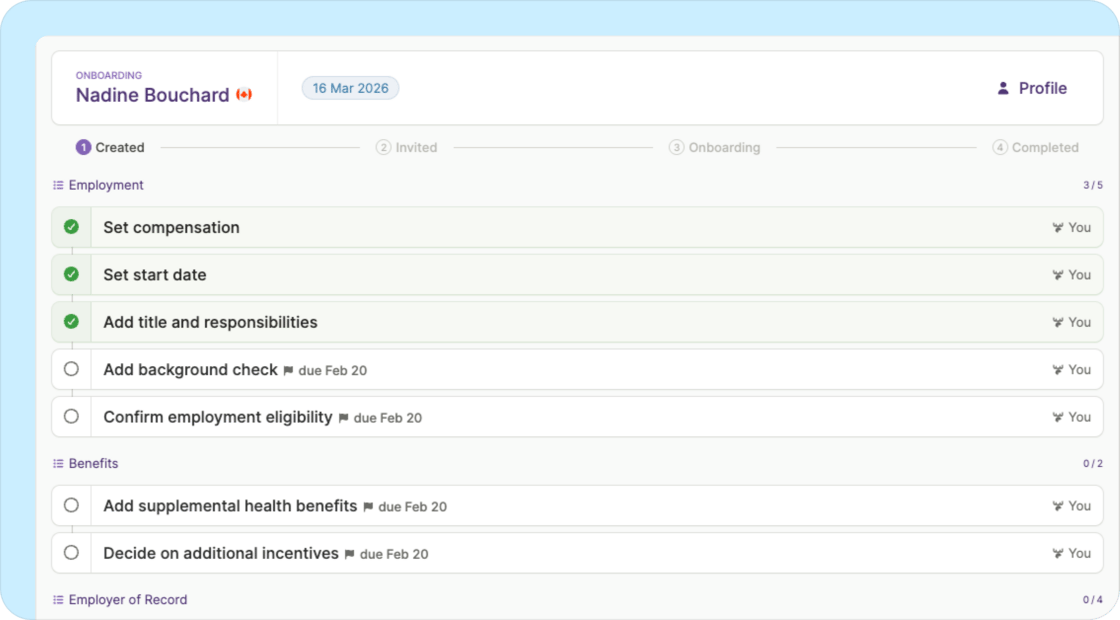
- Better organization: Tasks are now grouped into checklists by category (Employment, Profile, Compliance, etc.), so it’s easier to see what needs to be done.
- Enhanced visibility: See all worker tasks upfront with granular status tracking. Previously, worker onboarding status was summarized as high-level milestones — now you know exactly where they’re at in the process.
- Consistency: The interface now matches how tasks are represented throughout your Plane dashboard.
Other improvements and fixes
- “Save and continue” works correctly when adding a team member: The button is now disabled until required information is complete, preventing confusion across worker types.
- Benefits and deductions report sorts correctly: The general export now sorts by Pay date (newest first), then Last name, First name, and Contribution type.
- Missing date of birth payroll issue displays correctly: The Payroll issues page now shows “Employee is missing date of birth” instead of a generic error.