

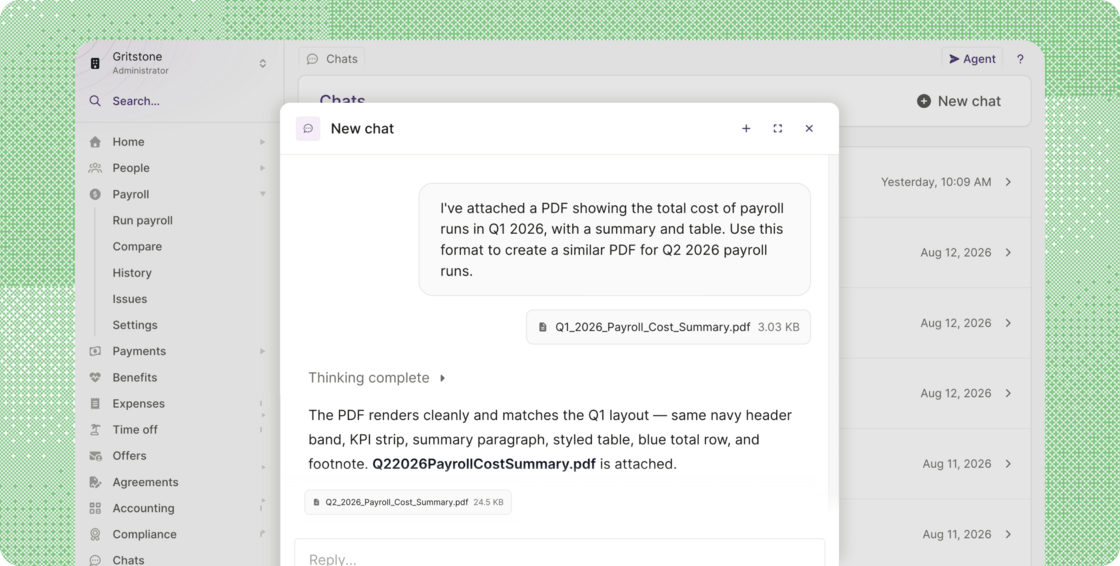
- Three ways to access the Agent in Plane: Use the Agent button in the top right of any page, the command menu (Press ⌘K [Ctrl+K on Windows], then Tab), or Chats in the navigation menu, where your conversations are saved. See Getting started with the Plane Agent.
- Get answers from your own data: Ask it about team members and their profiles, compensation history, payroll status and what’s blocking it, payments and charges, time off, expenses, or who’s still missing a W-8, W-9, I-9, or W-2. Ask the way you’d ask a person.
- Get the finished report, not just the answer: Plane Agent now reads and creates attachments. Ask for a compliance report on who has signed a W-9 and who hasn’t, and the Agent gathers the data, does the analysis, and hands you the report. Attach a document to show the format you want, and it returns the result as a file you can download.
- Have it remind people for you: When the answer is a list of people who need chasing, ask the Agent to message them. The messages arrive in each person’s Plane notifications, and as a Slack direct message if Slack is connected.
- Your conversations are private to you: Nobody else in your workspace can read them, including other admins and your workspace owner.
Other improvements and fixes
- More detail when you review time off requests: The time off list and the review window now name the days: a request for non-continuous days reads Fri 11, Mon 14 Sep 2026, and days that run together collapse into a range, such as Mon 10 – Fri 14 Aug 2026. The review window also flags a request that includes a Saturday or Sunday, in case it was picked by mistake, and Time off history shows when someone last took time off and their next approved dates.
- Journal entries for split funding charges: We fixed an issue in accounting where a large funding for contractor payments or invoices, split into more than one charge, could leave a journal entry out of balance. Journal entries now carry one Funds debited credit line per bank debit, so they balance and each line matches a single line on your bank feed.
- Birthday and work anniversary events: We fixed an issue where these events were not created for team members who joined more recently, so they were missing from the calendar feed.
- State on the People report: A State / Province / Region column is now available on the People report, and the filter accepts either the full name or the code, so Colorado and CO both return results.