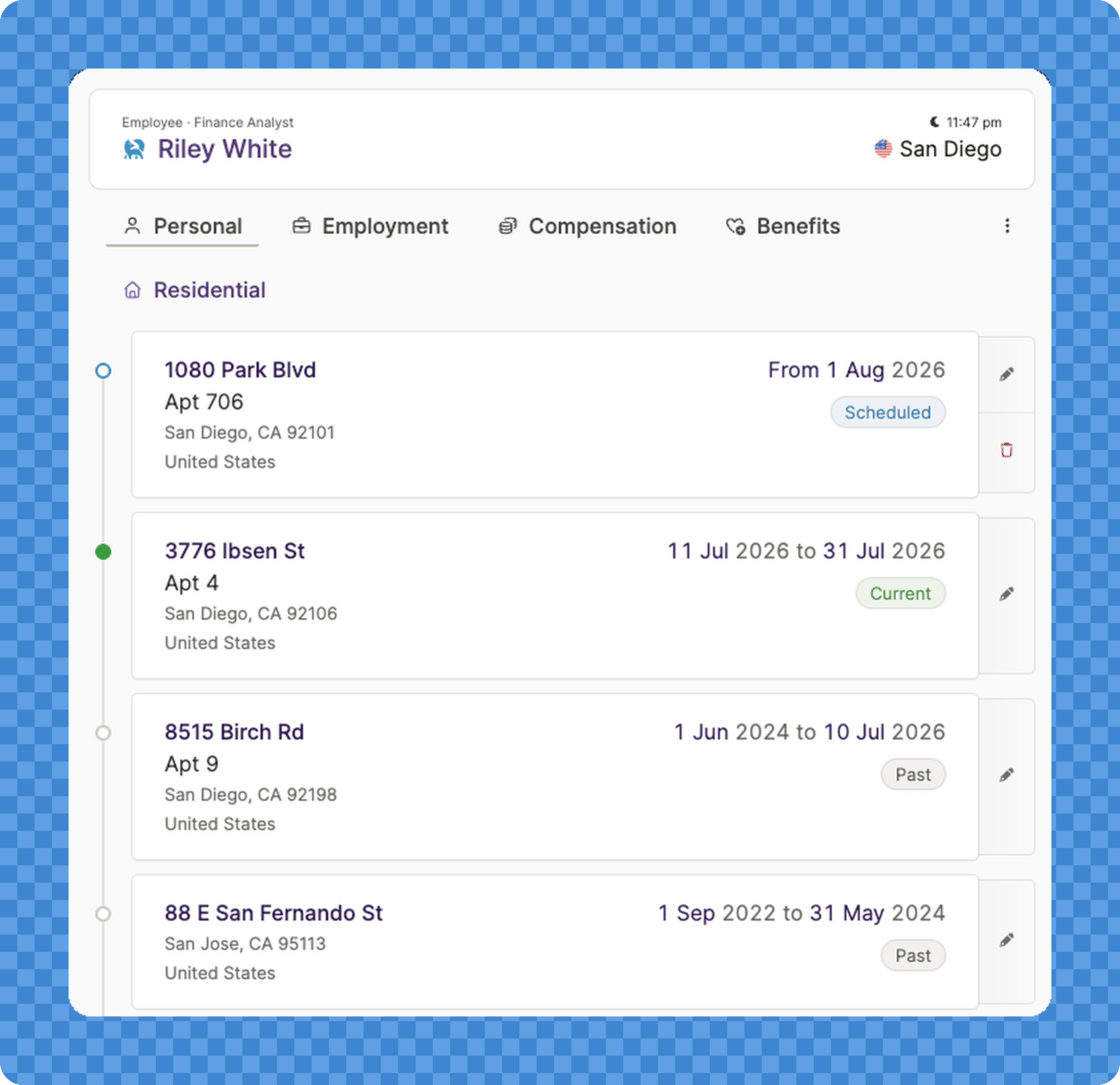
Address changes now have a timeline: schedule moves and record past moves
  • Schedule an upcoming move: Enter a known move with its effective date, and it takes effect automatically on that date.
  • Record a past move: Add a move that already happened, dated to when it actually took effect.
  • See the full history: A history view shows a team member’s scheduled, current, and past addresses at a glance.
When you record a move, Plane helps you keep the team member’s related addresses up to date at the same time, including their primary work location, business, and mailing address. Address changes for international employees (EOR) are still coordinated through Plane’s Hire Operations team. Where to find it: open a team member’s Personal tab, then use the history icon on the address card.

For builders and developers

Worker addresses are now available through the API, MCP server, and CLI, with list, get, create, and update endpoints. Updates use correction-only semantics to keep the effective-dated history intact.