

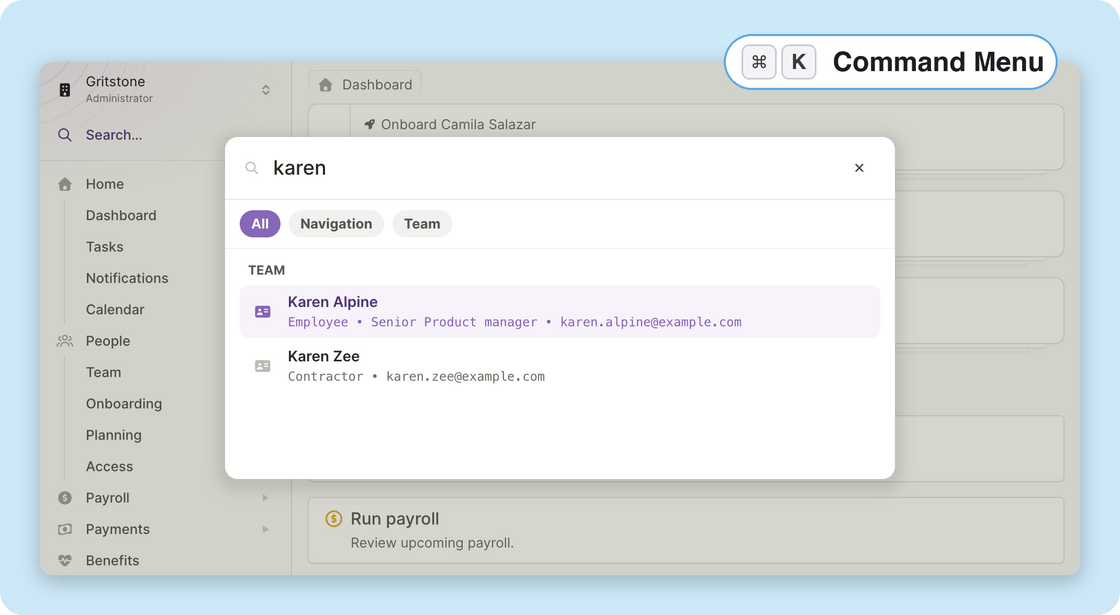
- Go to any page: Start typing a destination like Run Payroll, Reports, or Time Off and jump straight there. The command menu only shows pages you have access to.
- Find people and vendors: Search team members and vendors by name and land directly on their profile.
- New keyboard shortcuts: Go-to shortcuts work from anywhere, no command menu needed. Press g then h for your Dashboard, g p for Team, or g v for Vendors. The command menu shows each shortcut next to its destination, so they’re easy to learn.
- Not just for admins: Team members get the same command menu in their own view, with quick jumps to pay history, time off, expenses, and more.
- The command menu arrives alongside a refreshed navigation menu: The sidebar now remembers which groups you had open and where you scrolled, and it works better on smaller screens.
Other improvements and fixes
- A smarter workspace switcher: If you belong to more than one workspace, the new switcher in the navigation menu can search across all of them, and it shows the role you hold in each one.
- Download accounting statements: You can now download statement PDFs directly from the journal entries screen to share with your finance team or accountant.
- Kentucky state withholding: Plane now supports Kentucky’s K-4 withholding form, and tax-form imports no longer fail when they encounter a state form we don’t support yet.
- Same-day starts: We fixed an issue where a team member with a start date of today or earlier stayed pending until the next day. Their employment now activates as soon as the start date is saved.