

Sharper tools for AI apps and builders
Your AI app just got better at working with Plane. If you’ve connected Claude, ChatGPT, or another MCP-compatible client to Plane, the tools it uses are now sharper, faster, and more secure.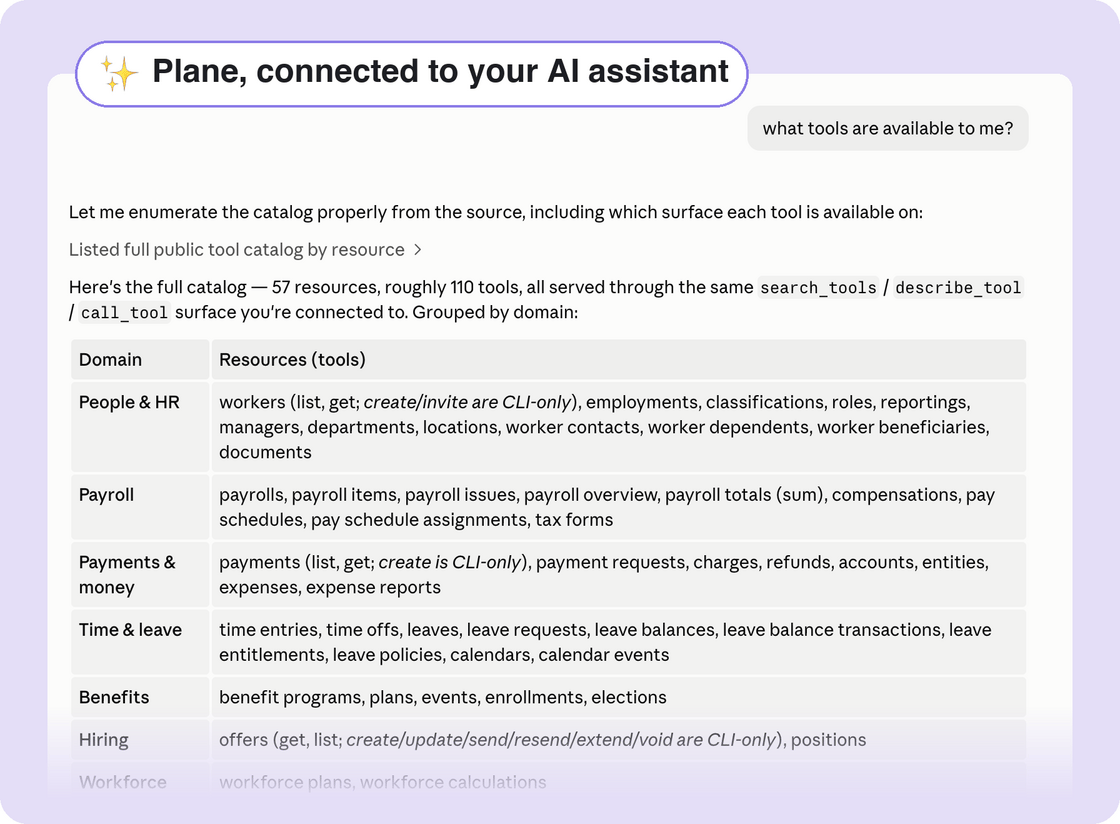
- More efficient calls: Plane’s tools now accept richer filters and return typed, structured results, so your AI app can ask for exactly the data it needs in fewer steps. Payments, charges, payroll, and time off all got this treatment.
- AI apps find the right tool on their own: Plane describes its capabilities to your app on demand, so longer multi-step tasks are more reliable.
- A more secure connection: We upgraded how AI apps authenticate to Plane to the latest, most secure standard. If you connected your app a while ago, you may be asked to reconnect once.
One toolkit, everywhere
Plane Agent and Plane’s MCP server now share the same set of tools. There’s no need to remember what each can do; whether you’re working directly with Plane Agent or through your own AI app like Claude or ChatGPT, you can switch back and forth easily. They have the same capabilities, and every improvement arrives in both at the same time.For builders and developers
- Set pay through the API: The new compensations endpoint records compensation for a worker, either a one-time earning like a bonus or commission, or a new regular pay rate. Accepted records flow straight into payroll, so variable pay can come from your own systems instead of being entered by hand.
- New API surfaces: Entities can now be listed, created, and updated through the API. Partners can create and manage workspaces for the customers they support, with webhook events delivered to the managing partner.
- Write commands in the CLI: The Plane CLI can now create offers and manage their full lifecycle (send, resend, extend, void), add workers, and create payments from the command line, plus new payment and charge filters for scripted workflows.
Jump anywhere in Plane with the new command menu
There’s a faster way to get around Plane. Press ⌘K (Ctrl+K on Windows) anywhere in the app, or click Search at the top of the navigation menu, to open the new command menu.There’s a faster way to get around Plane. Press ⌘K (Ctrl+K on Windows) anywhere in the app, or click Search at the top of the navigation menu, to open the new command menu. Then, type where you want to go, or who you’re looking for.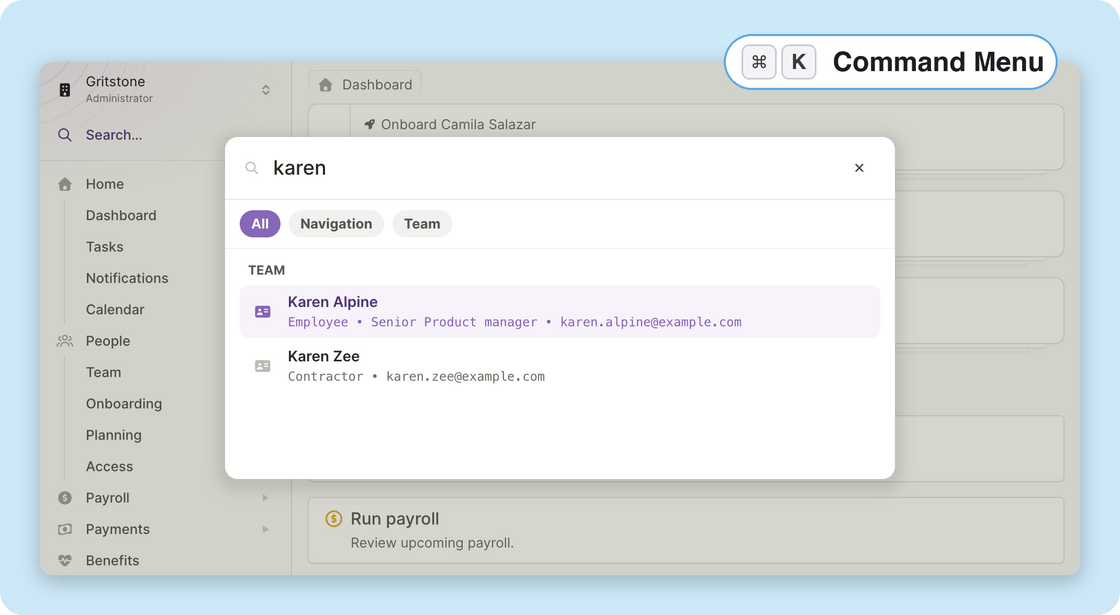
- Go to any page: Start typing a destination like Run Payroll, Reports, or Time Off and jump straight there. The command menu only shows pages you have access to.
- Find people and vendors: Search team members and vendors by name and land directly on their profile.
- New keyboard shortcuts: Go-to shortcuts work from anywhere, no command menu needed. Press g then h for your Dashboard, g p for Team, or g v for Vendors. The command menu shows each shortcut next to its destination, so they’re easy to learn.
- Not just for admins: Team members get the same command menu in their own view, with quick jumps to pay history, time off, expenses, and more.
- The command menu arrives alongside a refreshed navigation menu: The sidebar now remembers which groups you had open and where you scrolled, and it works better on smaller screens.
Other improvements and fixes
- A smarter workspace switcher: If you belong to more than one workspace, the new switcher in the navigation menu can search across all of them, and it shows the role you hold in each one.
- Download accounting statements: You can now download statement PDFs directly from the journal entries screen to share with your finance team or accountant.
- Kentucky state withholding: Plane now supports Kentucky’s K-4 withholding form, and tax-form imports no longer fail when they encounter a state form we don’t support yet.
- Same-day starts: We fixed an issue where a team member with a start date of today or earlier stayed pending until the next day. Their employment now activates as soon as the start date is saved.
Address changes now have a timeline: schedule moves and record past moves
You can now schedule a team member’s upcoming move ahead of time, or record a move that already happened. Each change is dated, so it applies on the right date, improving payroll accuracy.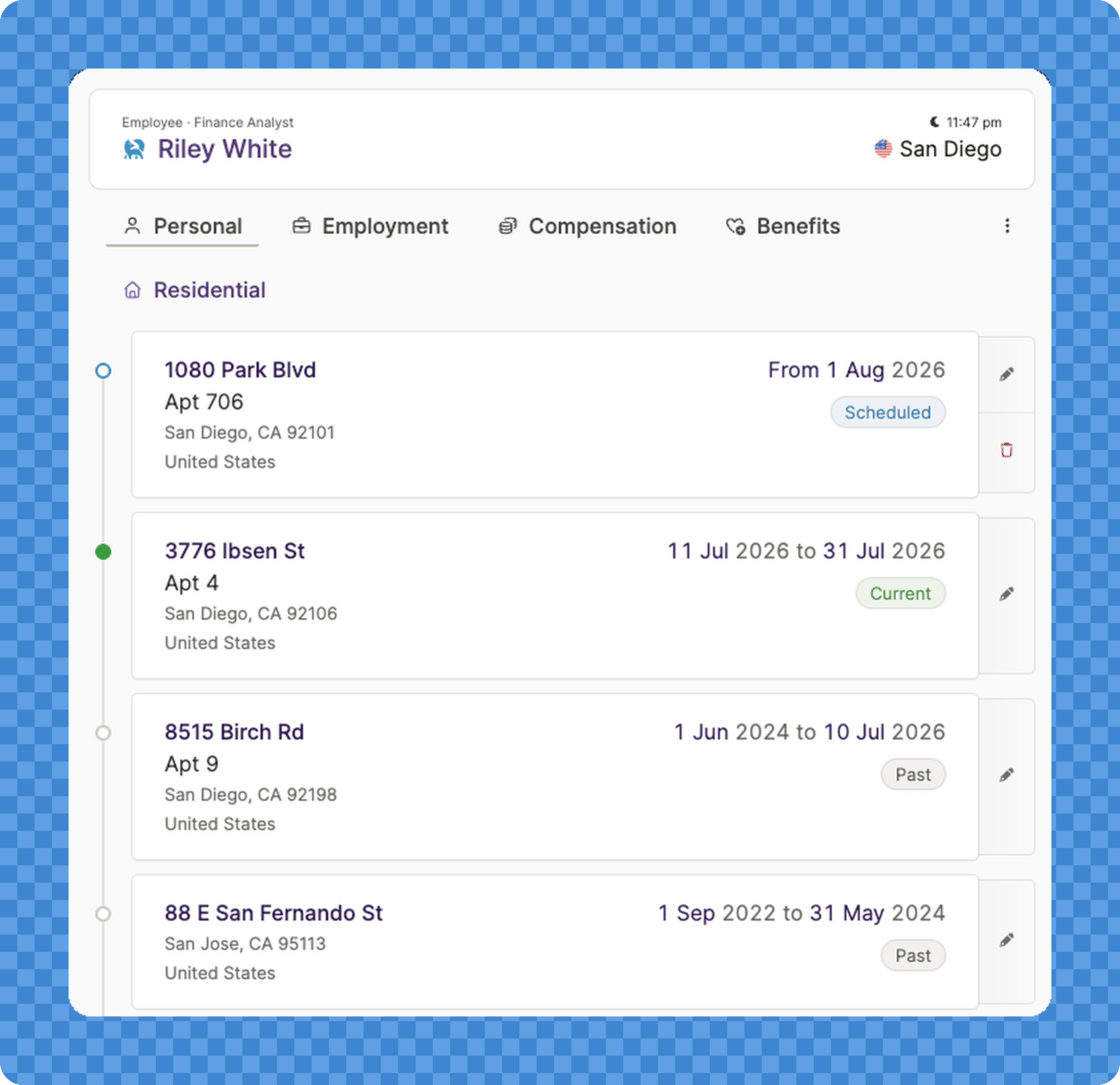
- Schedule an upcoming move: Enter a known move with its effective date, and it takes effect automatically on that date.
- Record a past move: Add a move that already happened, dated to when it actually took effect.
- See the full history: A history view shows a team member’s scheduled, current, and past addresses at a glance.
For builders and developers
Worker addresses are now available through the API, MCP server, and CLI, with list, get, create, and update endpoints. Updates use correction-only semantics to keep the effective-dated history intact.Keep your workforce plans current: revise, edit, and share them anytime
Workforce Planning, the feature for modeling your next hires and their fully-loaded cost inside Plane, got a significant update. Plans are no longer locked once approved, and they’re easier to shape and share: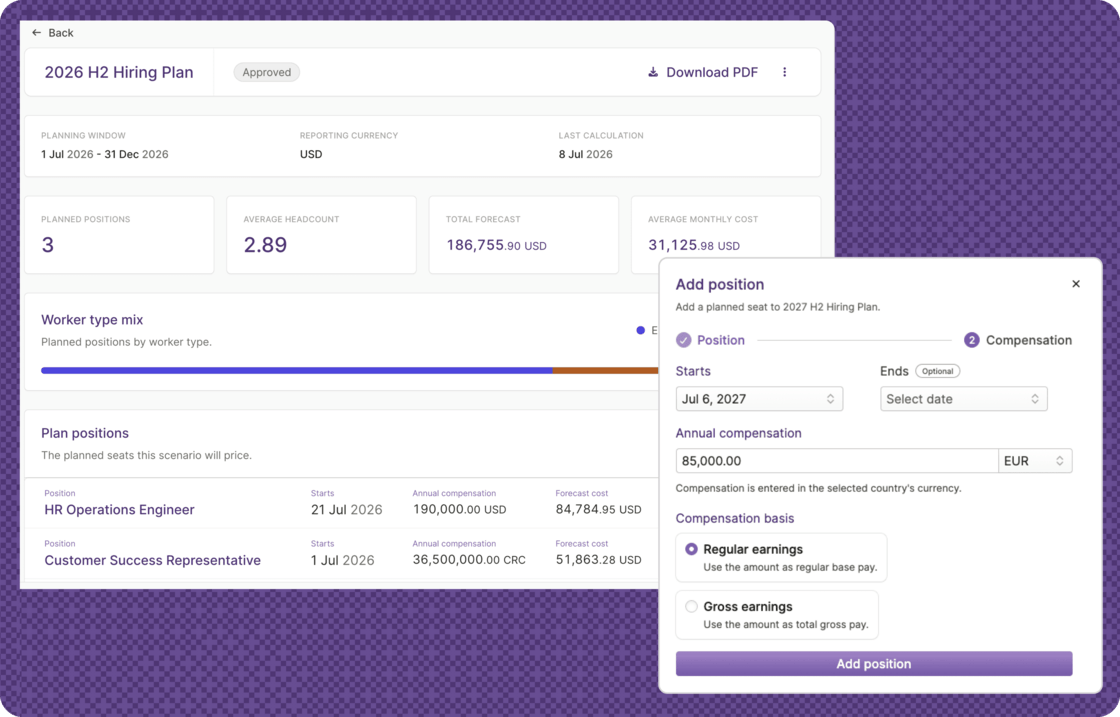
- Revise approved plans: Reopen an approved plan to draft, make changes, and approve it again.
- Edit plan details: Rename a draft plan and adjust its date window at any time. When you change dates, we’ll let you know if any positions fall outside the planning window.
- Download as PDF: Download a plan as a PDF to share with leadership, finance, or your board.
- Smarter defaults: New plans now start with a rolling 12-month window beginning in the current month.
Other improvements and fixes
- Future off-cycle payrolls stay visible: Future-dated off-cycle payrolls now remain listed in Run Payroll, so you always see what’s scheduled and nothing drops out of view before payday.
- Clearer EOR offboarding: When you request a termination for an EOR employee, you can now see whether the requested last day is under review or has been scheduled by Plane’s Operations team. Nothing is committed to the worker’s record until the review is complete, which allows the team to handle compliance and notice periods.
- Emergency contacts: Employees can now add and manage their emergency contacts directly from their profile.
- Bank account fix: We fixed an issue where adding a bank account could silently fail after changing the account currency, such as switching a Brazilian account from BRL to USD.
Plane Agent got a lot smarter
Plane Agent, your AI teammate for back-office work, has been rebuilt from the ground up for capability. It’s available today for Slack: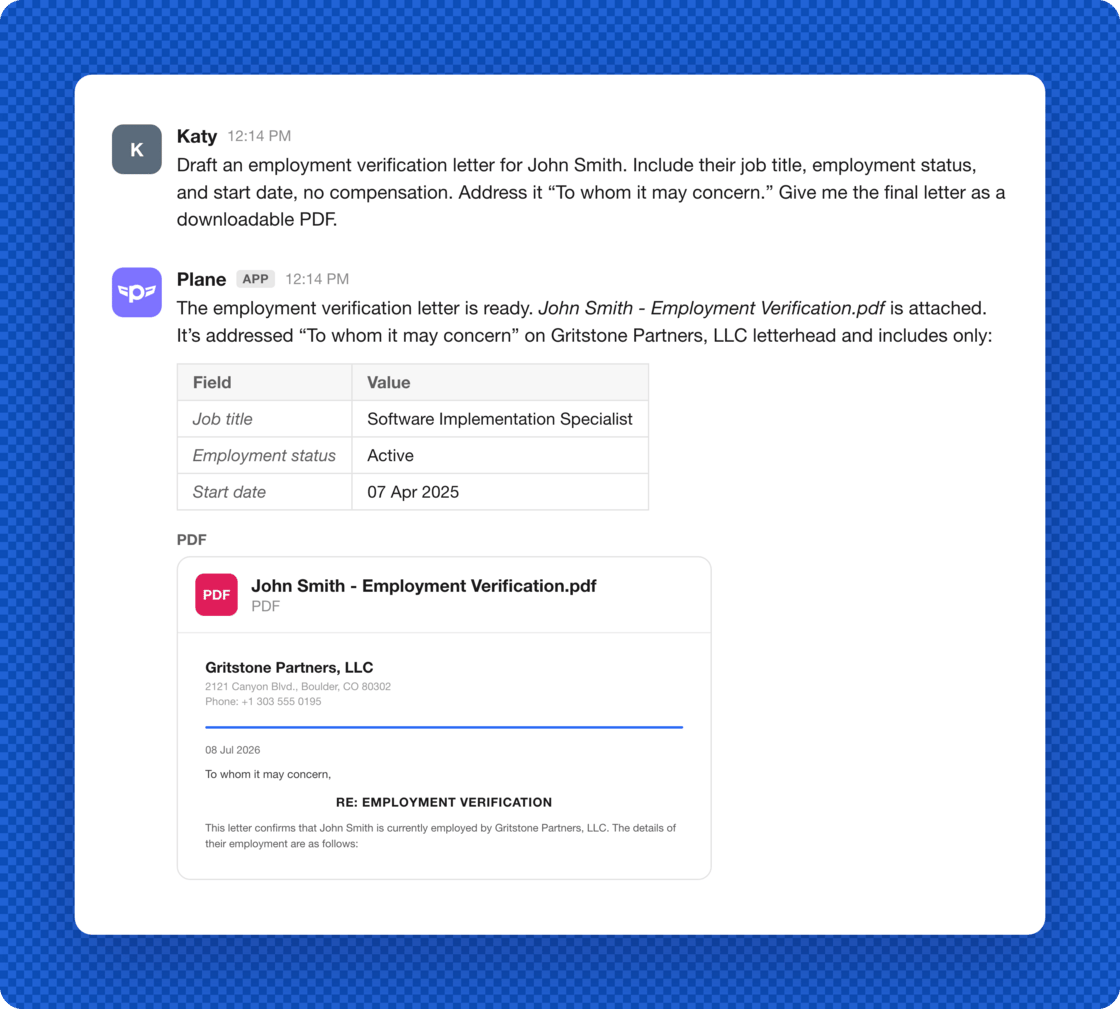
- New tool capabilities: The agent now has access to a full set of tools, so it can write and run code in a secure, isolated workspace, take on multi-step tasks, and produce real deliverables: spreadsheets, presentations, documents, and more.
- File attachments, both ways: Send the agent files in Slack, and get its work back. Reports, exports, and other output land right in the conversation as attachments.
- Direct messages: The agent’s messages reach team members as Slack DMs when they’re on your workspace’s Slack, matched by work email.
- A better Slack home: The agent moved to Slack’s new Messages tab, so your conversation works like any other DM, with live status updates while it works.
Other improvements and fixes
- Notes in payroll reports: Internal and team member notes have been added to the payroll journal and payroll preview reports and in CSV and XLSX exports. For skipped payrolls, the internal note includes the reason the payroll was skipped.
- Government IDs: When you add or edit a team member’s government ID, such as a Social Security number, national ID, or passport, Plane now applies more precise validation against the rules for their country.
- For builders and developers: The workers API and MCP tools now support looking up workers by email, and read-only Calendar and Calendar Event endpoints are available across the API, MCP server, and CLI.
Easily access beta features & customize your workspace
The Features catalog is a central place to explore everything available in Plane, so you can stay up to date on what’s available.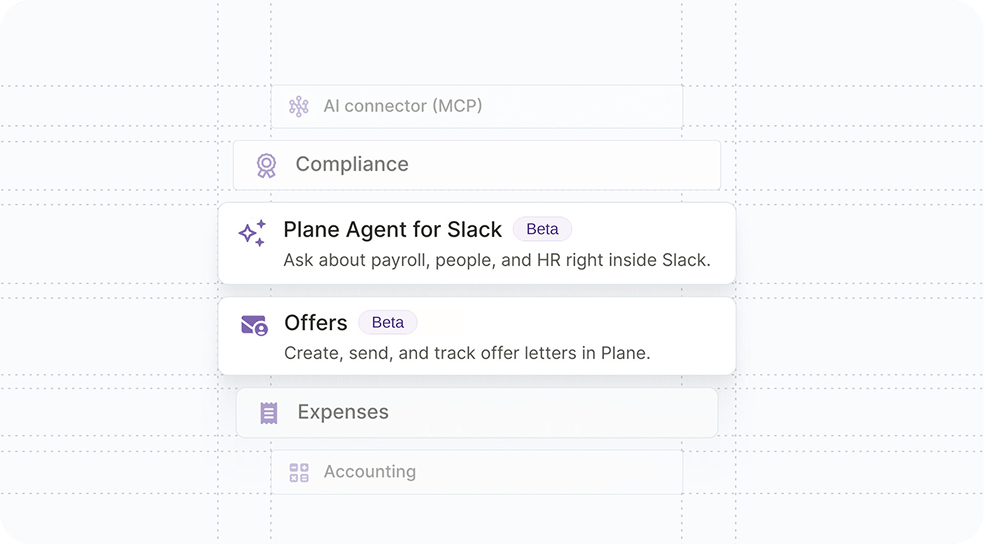
Beta features you can turn on in the catalog today include:
- Plane Agent for Slack: Your AI-powered teammate that does your back-office work for you, right in Slack.
- Offers: Create, send, and track offer letters directly in Plane.
- Workforce Planning: Model future headcount and see the fully-loaded employer cost.
To use this feature:
Go to Features in the sidebar. Open any feature to see what it does, then turn it on or off.A few core features, like Payroll, Payments, and HR, are always on. Read more about how the Features catalog works in the blog post.Other improvements and fixes
- HR Coordinator role: A new organization-level role for people who manage worker profiles but shouldn’t see pay. HR Coordinators can view and maintain worker profiles across your organization, including adding and inviting workers, editing personal and employment details, and checking setup status. Compensation, payments, and payroll stay hidden.
- Calendar now excludes events for people who’ve left: Birthdays and work anniversaries for terminated or archived team members no longer appear in your calendar.
Ask your AI assistant about more of your Plane data
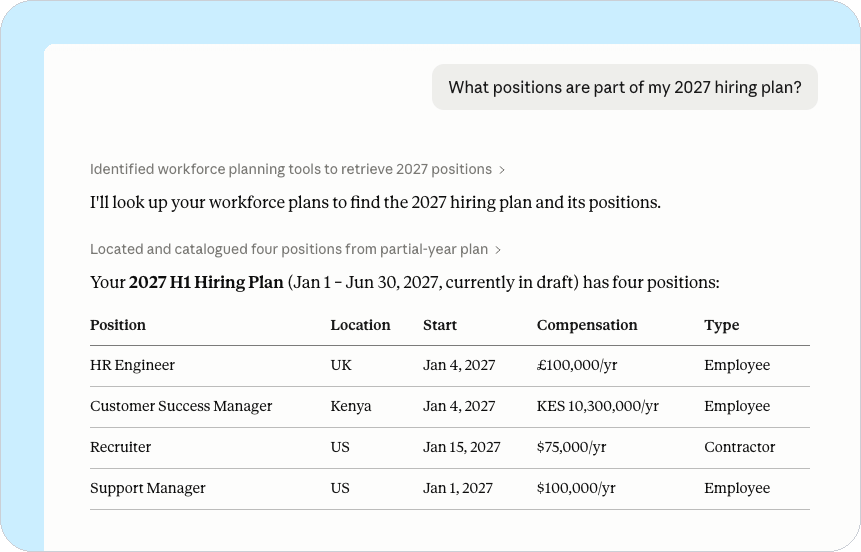
We expanded Plane’s MCP server so that more of your workforce data is reachable from your AI assistant. If you’ve connected Plane to Claude, ChatGPT, or another MCP-compatible assistant, you can now ask about:- Time tracking
- Employment history
- Workforce Planning (in beta)
Other MCP improvements and fixes
- We updated our MCP documentation with an expanded introduction, step-by-step setup for Claude and ChatGPT, and an API-key fallback. See it at docs.plane.com/guides/mcp.
- We made the MCP tool descriptions clearer and improved error handling, so your assistant returns better results.
Sign in faster and more securely with passkeys
You can now conveniently sign in to Plane with a passkey instead of typing a password. Your device or password manager keeps the passkey safe and unlocks it at sign-in, so there is nothing to remember or type.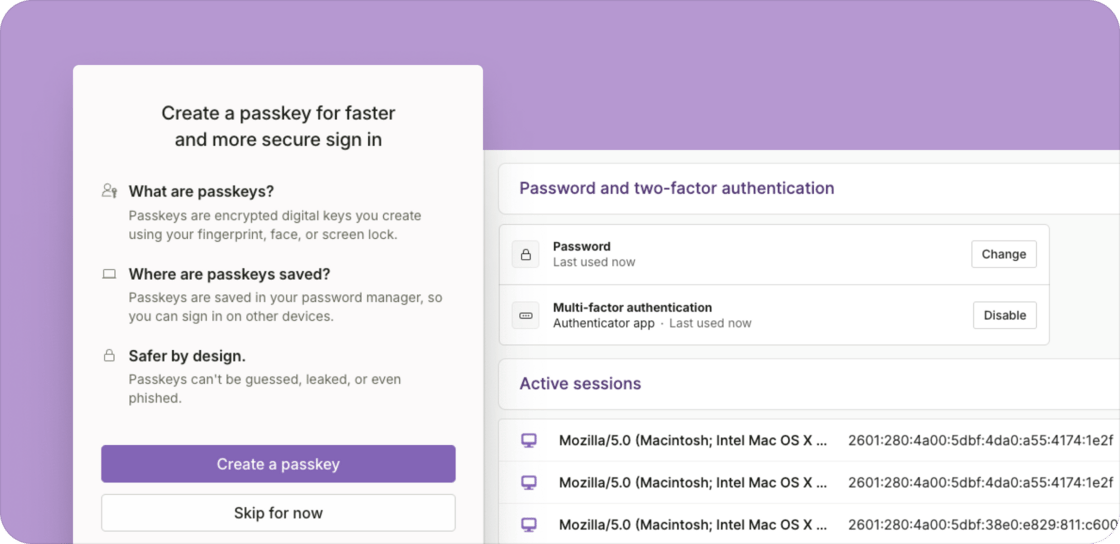
Other improvements and fixes
- Review and sign out active sessions: From your user settings page, you can now see every device signed in to your account and sign any of them out, so a shared or lost device can be ended remotely.
- Bank account changes are now verified by email: Because passkeys let team members use Plane without a password, changing a personal bank account no longer prompts the user for a password. Verification now requires providing a one-time code sent by email.