More detailed benefit mappings to fit your accounting needs
We’ve added more flexible account mapping options so you can route benefit expenses and liabilities to the exact accounts that your chart of accounts (COA) requires.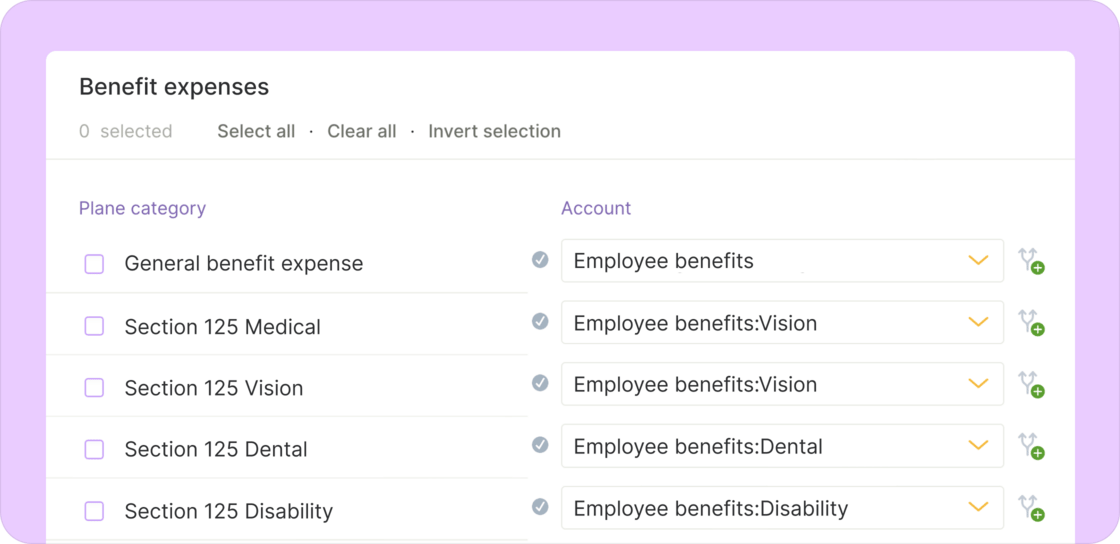
- Map by benefit type: Assign different accounts for medical, dental, vision, 401(k), FSA/HSA, and other benefit types.
- Choose your level of detail: Keep expenses grouped broadly while using more specific accounts for related payables if that better fits your operations.
Other improvements and fixes
-
Off-cycle improvements
- Active W-2 employees can now be added to an off-cycle even if they aren’t assigned to a regular pay schedule.
- Off-cycle runs now accept pay periods where the start and end date are the same.
- Fixed an issue that prevented contractors from being added to off-cycles.
- Fixed an issue that blocked contract review tasks: Users can now complete the “Review and approve contract” checklist even when steps were completed out of order or revisited later.
A refreshed layout with easier navigation and responsiveness
We refreshed Plane’s layout to make navigation smoother and to introduce responsive updates.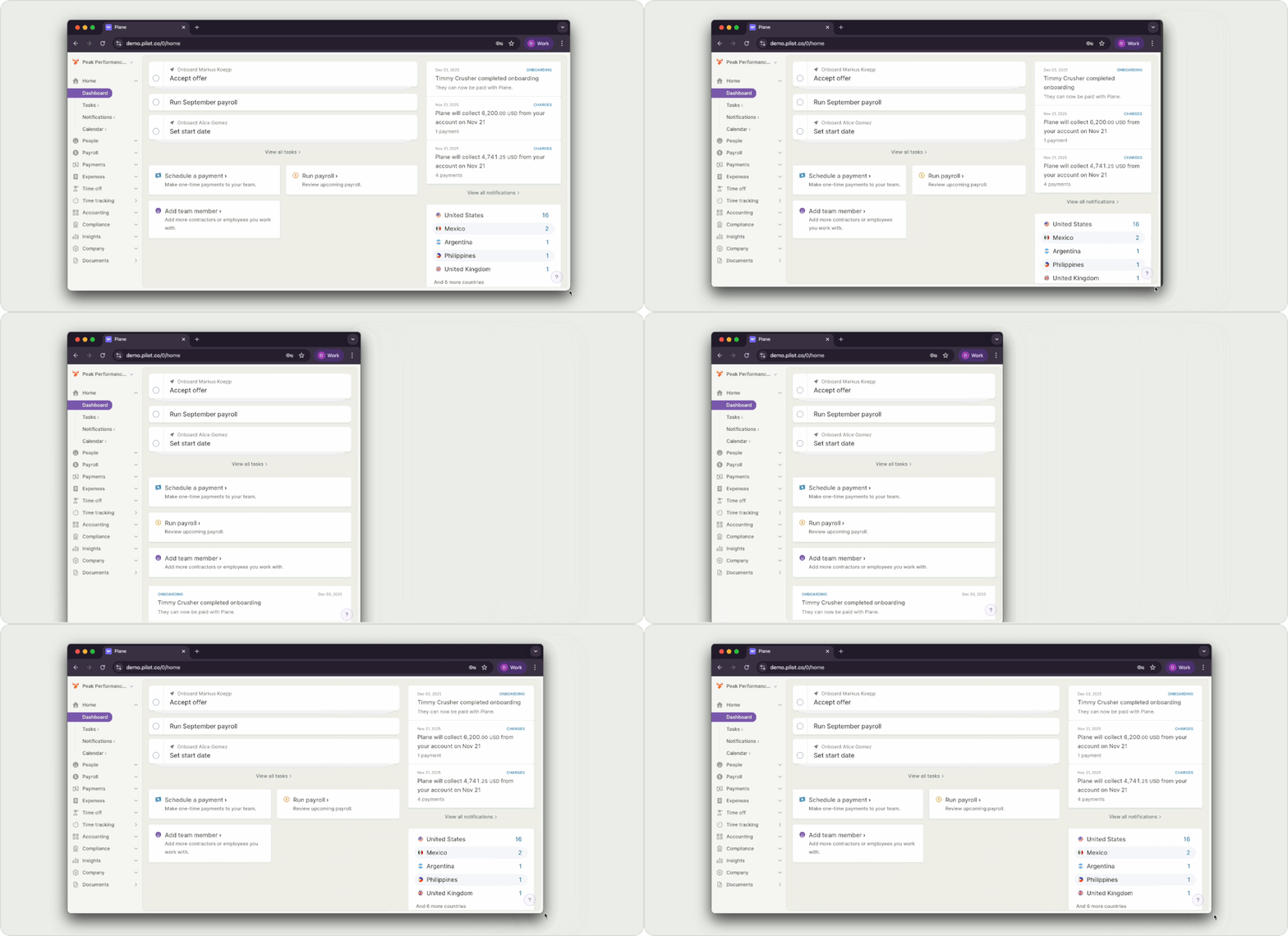
- Independent sidebar and scrollable content: The sidebar now stays fixed when you scroll the main content, making it easier to move around without losing your place.
- Better experience on smaller screens: The Dashboard and many other pages, including Teams and Pay Contractors, now adapt more smoothly to smaller screens as part of our shift toward a fully responsive app.
- More focused actions on a person’s profile: Actions that were not relevant on certain tabs have been removed, reducing clutter. Pay-related actions like adding other earnings, benefits, reimbursements, and deductions are now grouped together and available across relevant tabs.
- Softer, clearer visual design: We continued our move to Plane’s softer color palette and introduced more icons to make actions easier to spot at a glance.
- Help moved to bottom: The Help button now sits at the bottom of the sidebar.
Sign in with Google for faster access
You can now sign in with Google, giving you a quicker and simpler way to access Plane.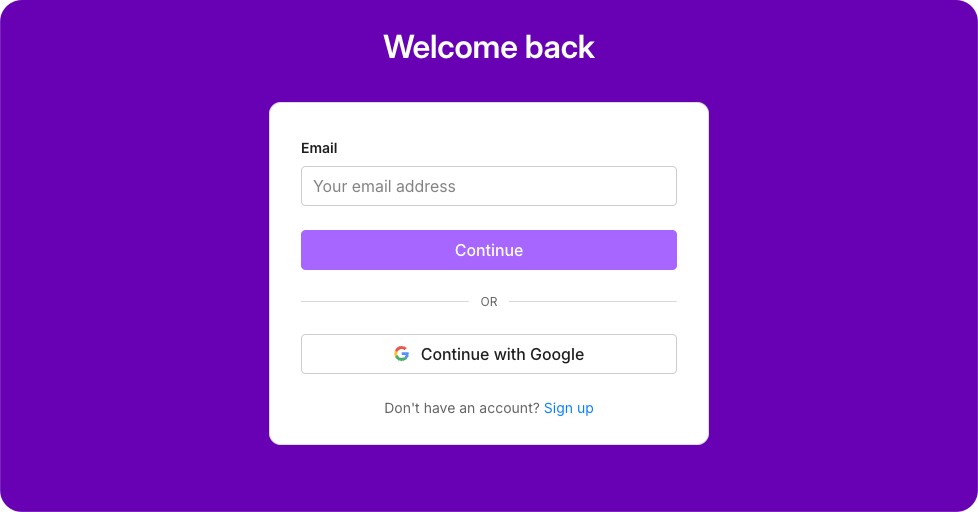
- Sign in through your Google account as an alternative to your Plane password.
- If your Plane email already matches your Google email, you can sign in with Google right away.
- If your Plane email is different, update it to your Google address before using Google sign-in.
Other improvements and fixes
- Accept invitations with an existing account: Users who signed up on Plane before receiving an invitation will now have their account correctly linked to the invited workspace as soon as they accept the invite.
- Fixed cancel button when adding new contracts: The Cancel button works again and now closes the Add Contract window without needing to refresh.
Manage benefits and deductions for U.S. employees
Admins can now add and manage U.S. employee benefits and post-tax deductions — making it faster to keep payroll accurate and up to date.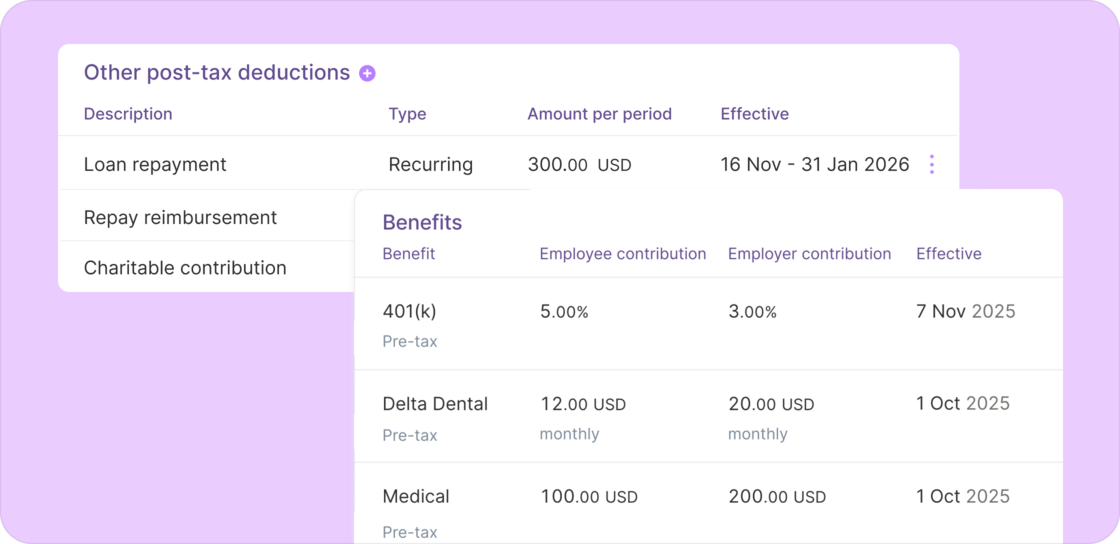
Benefits management
This feature is designed for teams that already have benefit providers where an integration isn’t available yet.- Set up and maintain benefits such as medical, dental, vision, and 401(k) plans.
- Configure monthly or per-pay-period contributions that automatically sync to payroll.
- View current and past benefit entries at a glance.
Post-tax deductions
Manage other post-tax deductions for U.S. employees, such as loan repayments, charitable contributions, or reimbursements owed back to the company.- Create one-time or recurring deductions.
- View current and past deduction entries at a glance.
Other improvements and fixes
- More proactive payroll warnings: Plane now detects missing or invalid bank account details daily and whenever payroll is updated. This helps admins resolve issues early, preventing processing delays and giving more time before payroll deadlines.
- Contract creation defaults: New contracts now default to the contractor’s current compensation amount and currency, reducing setup errors and rework for admins.
- Organized vendor profiles: Vendor details are split into clear tabs: Details, Payments, Accounts, and Documents. This provides easier navigation and a consistent experience with employees and contractors.
- Payroll currency display fix: Payroll items correctly show the updated currency when a worker’s compensation currency changes. This was a display issue only and did not affect payment processing.
- Fixed tax form display: Resolved an issue where the Taxes tab on a contractor’s profile sometimes failed to load.
Updated QuickBooks Online app and accounting improvements
We’ve updated Plane’s Accounting Automation to use a new registered QuickBooks Online (QBO) app, keeping your integration compliant and running smoothly.We’ve updated Plane’s Accounting Automation to use a new registered QuickBooks Online (QBO) app, keeping your integration compliant and running smoothly.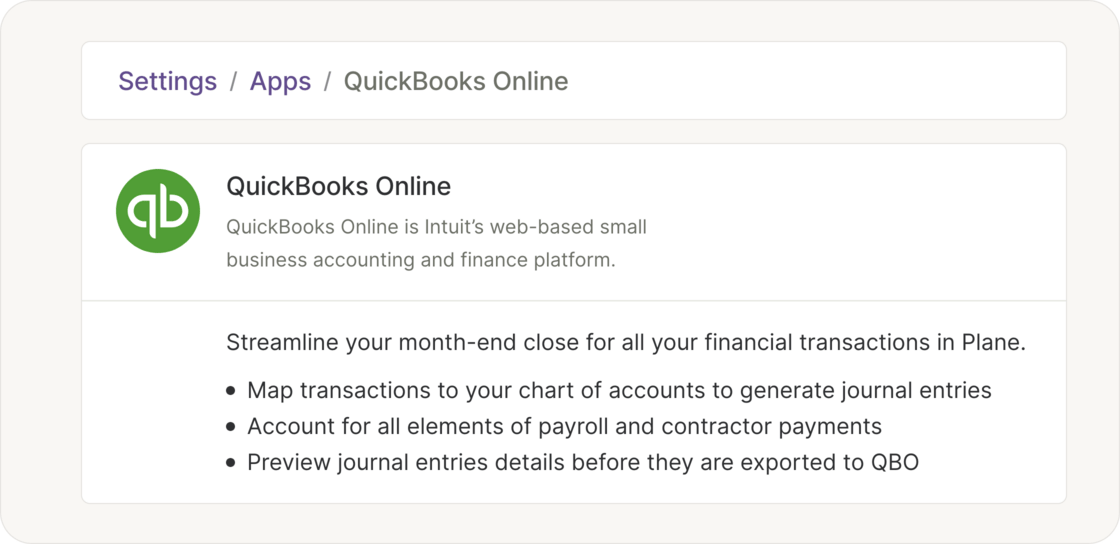
Other accounting improvements
- Detailed journal entry descriptions: Journal entry lines now include detailed descriptions that summarize what’s included in each amount. You can view these breakdowns directly in Plane, and the same descriptions are exported to QuickBooks for easier reconciliation and audit tracking.
- Improved reconnection flow: Connecting or reauthorizing your QuickBooks app is now more dependable and faster to complete.
Enhanced sign-in flow with advanced security monitoring
We’ve updated how you log in to Plane with a guided sign-in experience and always-on monitoring that guards every login in real time.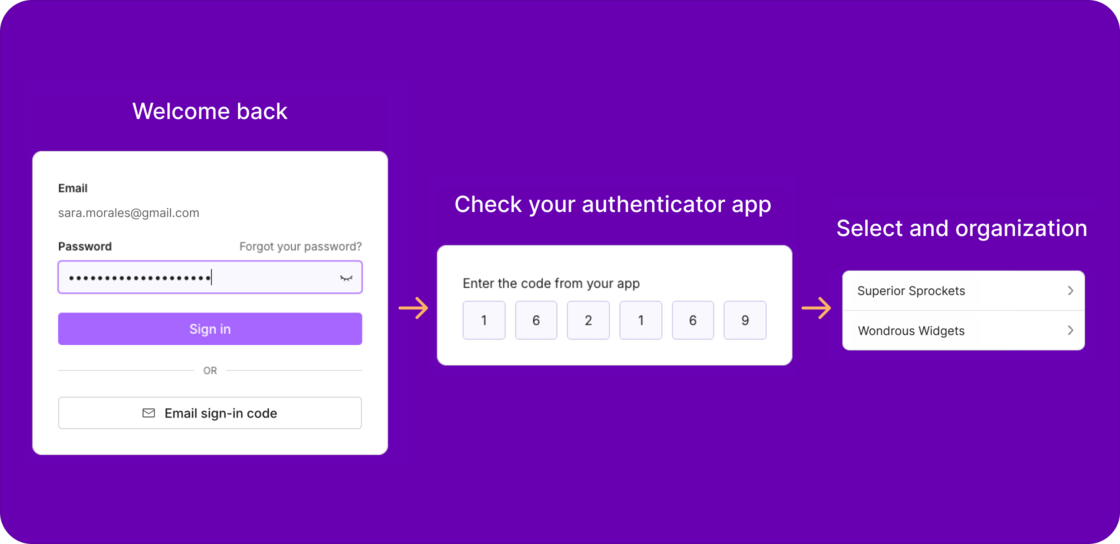
- Guided login flow: Start with your email, then continue with your password or request a one-time code — making it faster to sign in, especially when you’ve forgotten your password.
- Two-factor ready: You’ll be prompted for your two-factor authentication code whenever it’s enabled on your account.
- Organization chooser: If you’re part of more than one organization, you’ll now choose which one to access before entering Plane.
- Active security monitoring: Every sign-in is evaluated for risky behavior (for example, unexpected geographies or new devices). If something looks suspicious, we may require an email code to verify it or block the attempt.
Other fixes
- Restored I-9 request option: Fixed an issue from the new documents update that briefly hid the “Add Form I-9” action in some worker profiles.
- Fixed disappearing U.S. employee withholding forms: Resolved an issue that could cause Form W-4 and state withholding forms to be removed or not appear after updates.
Payroll approval deadline moved 30 minutes earlier for consistent pay dates
We’ve shifted the payroll approval deadline from 12:00 PM Pacific to 11:30 AM Pacific. This gives us more time to process payroll within the day, helping ensure payments are delivered on their scheduled pay dates.Note: The approval deadline is always shown in your local time zone throughout Plane.This change also resolves a recent issue where pay dates were shown inconsistently between payroll and payments.Other improvements and fixes
- Payroll journal report columns adjust dynamically: The columns shown in the report now update based on the data being viewed, so fields like bonuses appear whenever they are relevant. We also fixed pagination so you can browse through the full report.
- W-2 and contractor offboarding completes immediately: Previously, backdated terminations stayed “in progress” until the next day, which blocked archiving and could cause confusion. Now, when a termination date is saved for today or earlier, offboarding is marked complete right away.
- Fixed accounting navigation: You can now move to the next month even if that month hasn’t started yet. Previously, the “Next” button didn’t work in this case.
Clean, unified document management
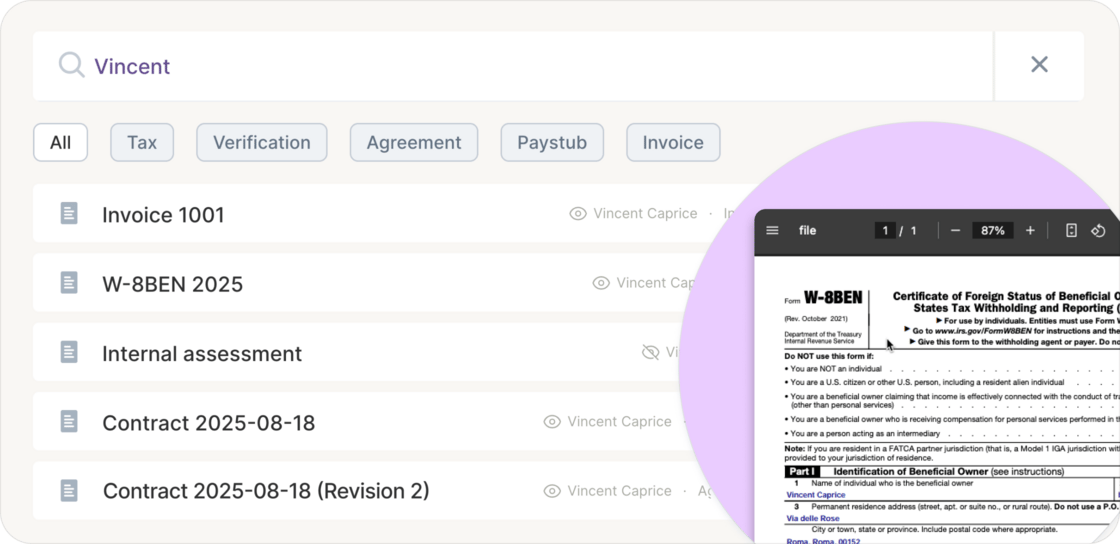
We released a new documents experience that brings all your documents — company-wide and for team members — into one unified view with quick click filters and more.-
Admins can browse and search for documents more easily using quick click filters like
Agreement,Tax, andInvoice, while team members get a cleaner interface to view their own documents. - Each document offers menu options for admins to rename, stop sharing, delete, or show the original source for the document
-
Preview documents directly from the list in an inline panel, so you can quickly review files without losing your place.