

Improvements and fixes
This update includes several improvements and fixes.- You can now filter by employment type (
employeeorcontractor) in the Payroll Journal report. - We fixed an issue concerning approved expense reports attached to payroll. If a person was removed from payroll before the pay period was processed, the expense would remain in an unprocessed state without the ability to take action. Now when this happens, the expense is detached from payroll so it can be paid or “Marked as paid” as appropriate.
- An issue that prevented custom contractor contracts from loading in the new HRIS experience has been resolved.
- We fixed an issue that caused some team members to remain on payroll after they were terminated.
Team members grouped by worker type in payroll summaries
The Payroll Summary statement (in Payroll History) now splits contractors and employees into separate sections.The Payroll Summary statement (in Payroll History) now splits contractors and employees into separate sections.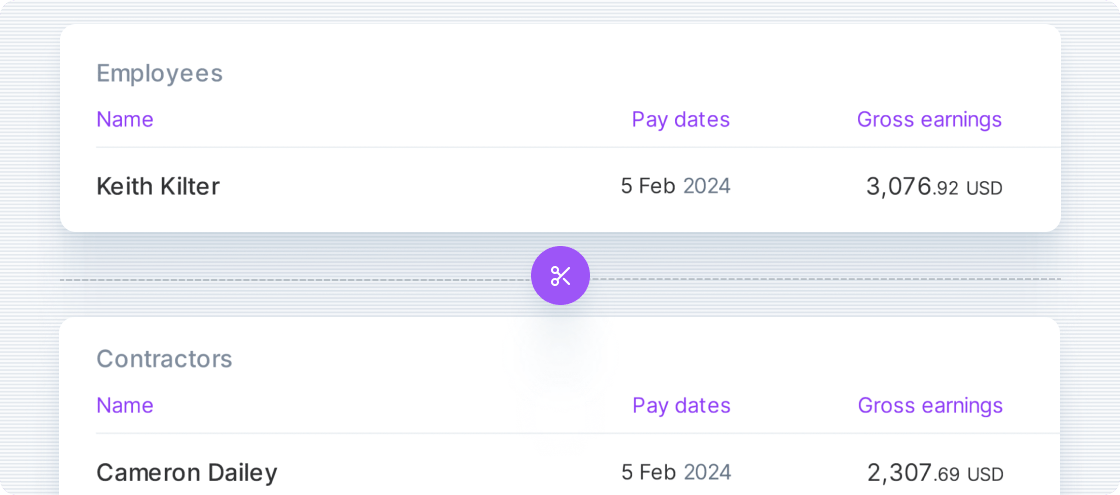
Other improvements and fixes
- The term “Salary” has been replaced with “Regular earnings” throughout the platform
- Some customers that migrated to the new payroll experience were affected by incorrect payroll calculations. We corrected a defect that caused old compensation amounts to be applied to new payroll items.
For customers who migrated to the latest HRIS
- Unfiled Form 1099-NECs are no longer displayed on a contractor’s or vendor’s profiles
- When a compensation change is made for a date when a compensation record already exists, the change will overwrite the existing value. Previously, multiple compensation records were created for the same date, which created unnecessary records when corrections were made.
Improvements when editing approved payroll items
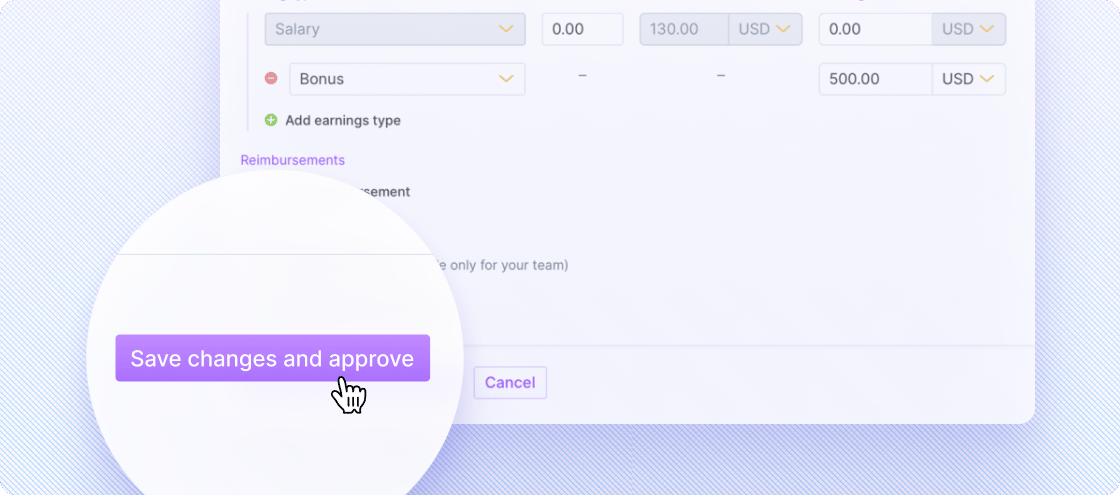
Changes to an approved payroll item no longer move it back to a “draft” state.- Changes are applied with a new “Save changes and approve” button
-
You can reverse approvals using the “Cancel approval” action on a single payroll item or a selected group
Other improvements and fixes
- Changes to the residential address of a US employee designated as “Work from home” are automatically synced to their work location
- We fixed an issue with the display of termination dates in contractor contracts. If a termination date is provided, it will now display again in the contract.
Usability and performance improvements to contractor payments
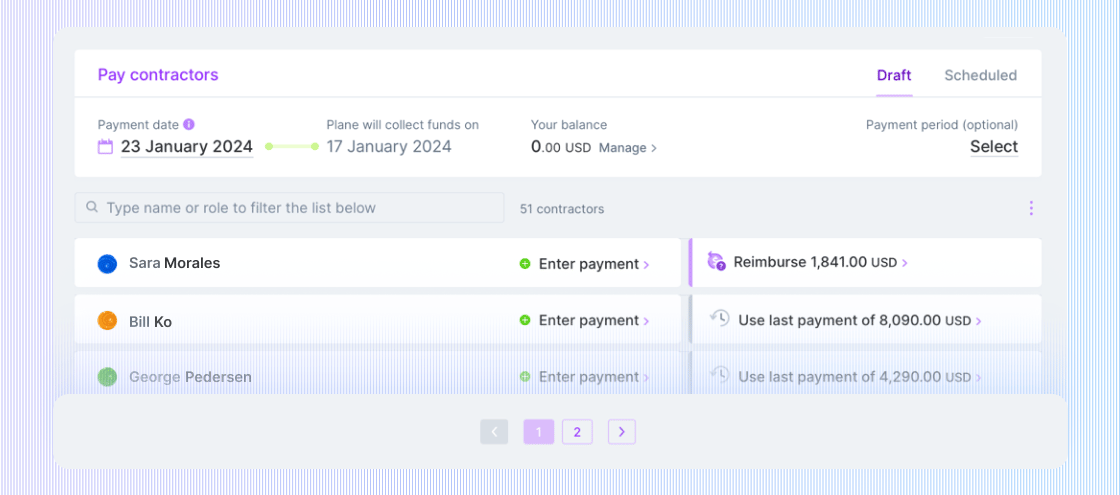
We made improvements for customers making payments to large numbers of contractors.- The Pay contractors page now displays a maximum of 30 contractors per page to speed up page loading
- When the number of payments in a single batch exceeds 50, additional processing time is required. After authorizing the payments, you’ll be taken to a waiting page while the payments get set up. Upon completion, you’ll be taken to the Charges page.
-
When the number of payments falls below this threshold, you’ll be taken to the Charges page immediately after authorizing the payments
Other improvements and fixes
- We made additional improvements to the Payroll Journal report.
Funds debited,Net pay, andReimbursements totalwere added to the report. We also added a filter forPay dateand made formatting enhancements. - When an admin views an unsigned contractor contract, the business entity associated with the contractor will always be displayed in the contract preview when applicable
- We resolved an issue affecting the addition of Venezuelan bank accounts
Paid payroll for international employees displays in Run payroll
The most recently paid payroll for international employees is now displayed on the Run payroll page. Details can be viewed when clicking into the group.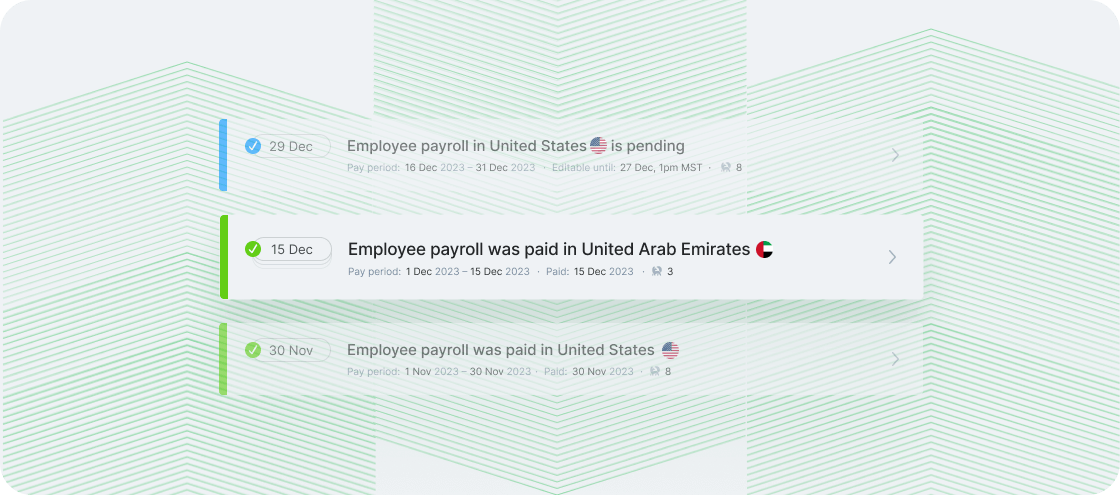
Other improvements and fixes
- The Payments report now includes a column to display all approvers of the associated payment request
- A new, blocking payroll issue is created when a company is “not in good standing” and is displayed in the blockers and issues list
- We fixed an issue where void payroll was displaying incorrectly on the Run payroll page. Void payroll was never intended to be displayed here, but it remains available in Payroll history
- We fixed an issue for US payroll where the funds debited calculation was incorrect for taxes that are not directly remitted by Plane. Taxes that need to be remitted by customers (e.g., NY SDI and NY PFL) are calculated and displayed on payroll statements and reports but are not included in funds debited.
More detail in Payments report
The Payments report was enhanced with additional columns for different pay components: Compensation, Reimbursement, Deduction, and Withholding. Compensation and Reimbursement are displayed by default.The Payments report was enhanced with additional columns for different pay components: Compensation, Reimbursement, Deduction, and Withholding. Compensation and Reimbursement are displayed by default.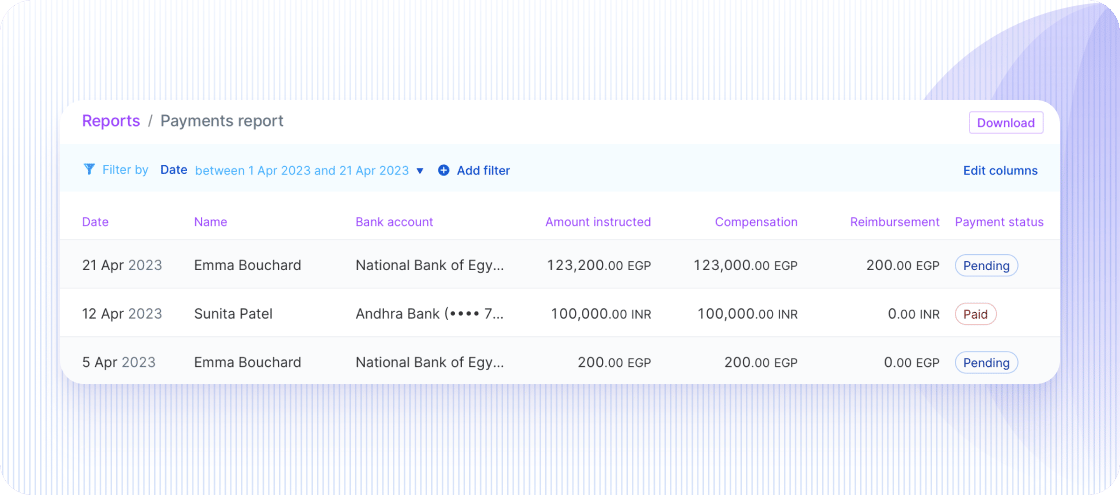
Other improvements and fixes
- The Payroll Journal report now includes a column for Funds debited
- We fixed an issue to restore payroll proration for new hires based on their start date. Unprocessed payrolls were also corrected
- We fixed an issue where the wrong currency was displayed in the “Payroll started processing” email notification
Time Off report
We added a Time Off report to enable admins to easily view and download time-off data.We added a Time Off report to enable admins to easily view and download time-off data.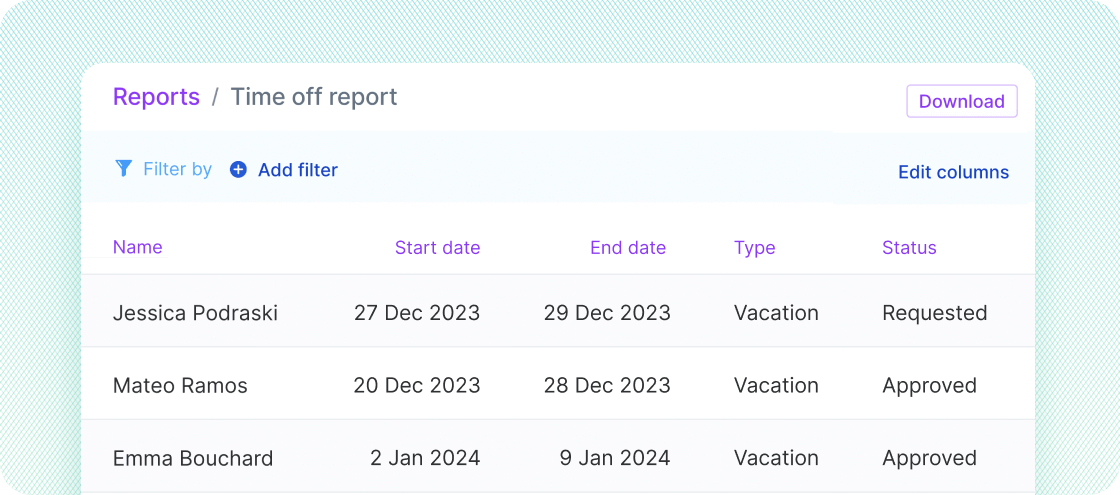
Migrations to Unified Payroll
We started migrating all customers to the new Unified Payroll experience and expect to complete those by early 2024. Customers who are migrating from recurring contractor payments to the new experience will be notified seven days before their scheduled migration. Read more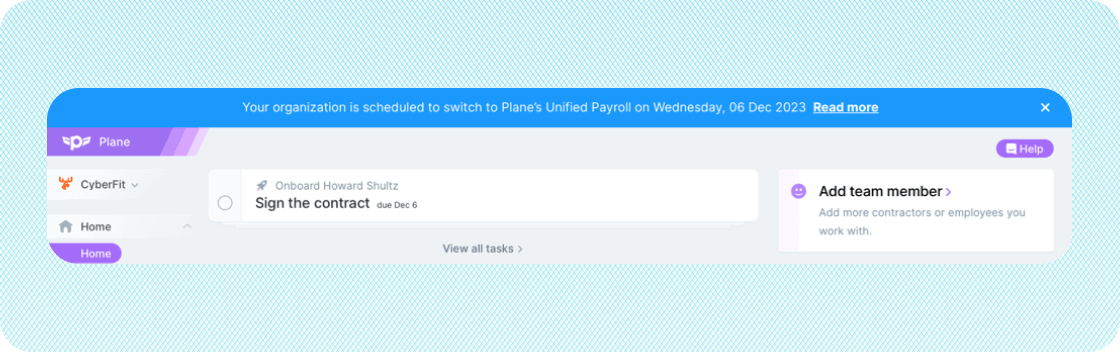
Other improvements and fixes
- Expense reports that are approved before a person is added to payroll are now attached to payroll if they haven’t already been paid or scheduled for payment
- We fixed an issue for US employees that was causing duplicate Form W-4s to appear on their profiles
- We made a fix for hourly employees to properly clear taxes in payroll previews when hours are reset to zero
- Time off is now correctly sorted in reverse chronological order
- Users whose Plane accounts are locked after five failed login attempts now see a message on the login page and receive an email with instructions on how to unlock their account
Payroll Journal report
The Payroll Journal report provides a detailed breakdown of your team’s past earnings, deductions, and taxes. For example, you can view total earnings, allowances, and commissions.New
The report’s columns are dynamic and based on the team members included in the report. For instance, taxes for a specific state are included as report columns when they are relevant to an employee on the report.The report is viewable by admins only.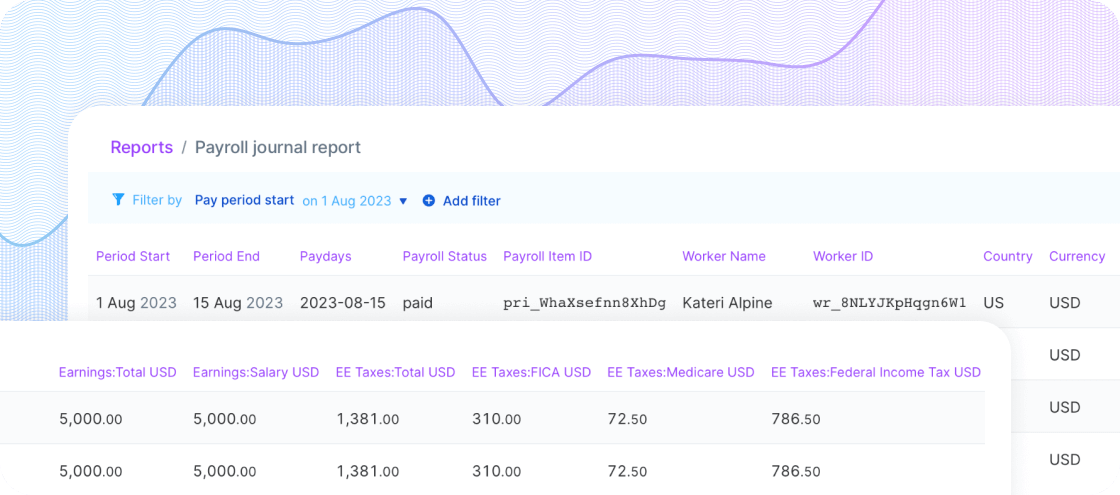
Other improvements and fixes
- Admins can update IDs from the Team Member profile, e.g., SSNs, passports, etc.
- An Other earnings type was added to US payroll which is treated as non-hourly regular pay and is taxed as regular earnings. A common use for this earnings type is to pay stipends to employees.
- Fixed an issue with adding addresses in Hong Kong by making “State” not applicable.
- Retired the “Archive completed task” in Onboardings. All open tasks like this were auto-completed.