

Improvements and fixes
This update brings several improvements and fixes:- Pages across the platform load faster
- Resolved an edge case affecting pay rate calculations for off-cycle payrolls
- Exported data from the People report now correctly includes terminated and archived team members unless filtered out
- Journal entries now exclude skipped payroll items
Streamline compensation requests for international employees
You can now request compensation changes for your international employees directly in Plane.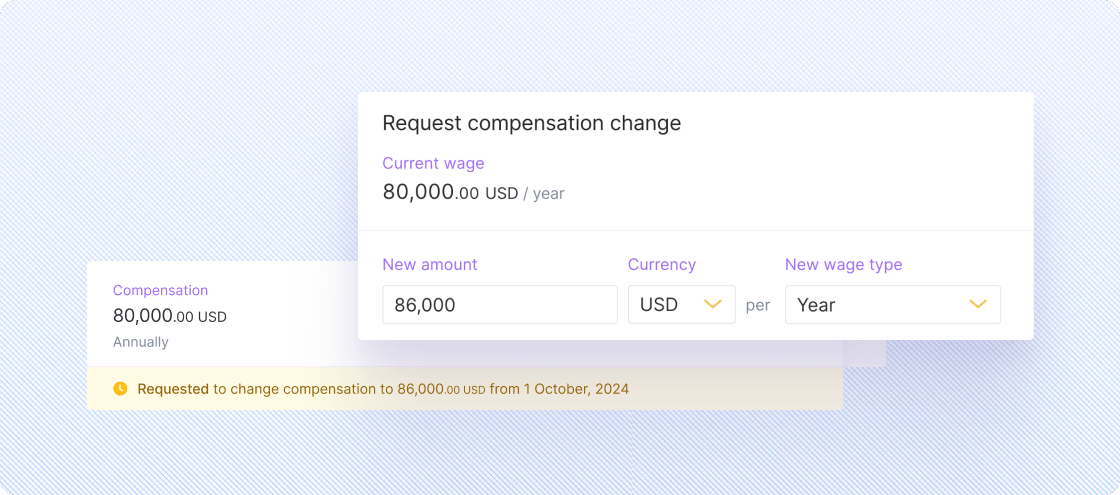
Other improvements and fixes
- We made the layout of a person’s pay schedule more compact by combining pay rate and standard hours and only displaying a description when it exists
- Pay rate and standard hours per pay period are displayed for contractors who have regular earnings and are assigned to a pay schedule
- Search has been improved to match names with special characters to their English equivalents; e.g. searching for “Amy” will match “Ámy”
- You can now download reports in Microsoft Excel (.xlsx) format, in addition to the existing CSV option.
- We fixed a navigation issue in Pay Contractors where users were always redirected to the first page after selecting a payment request. Now, users continue working from where they left off.
Payroll auto-stops for terminations
When a contractor or US employee is terminated, payroll now automatically stops after their last day of work. If their final day falls mid-pay period, their last paycheck is prorated.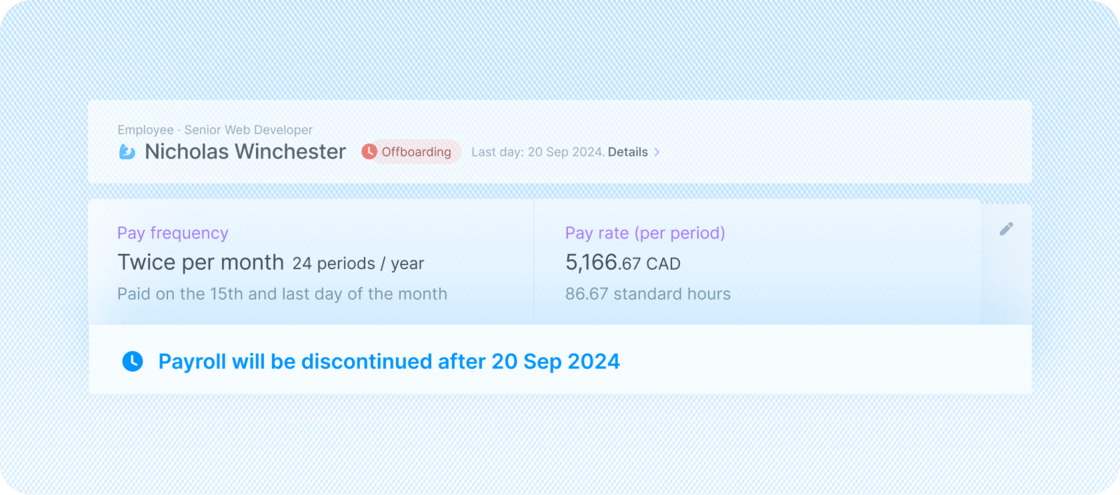
Other improvements and fixes
- A person’s updated country now displays correctly in payroll screens and notifications
- The new admin dashboard experience now loads faster
- W-8BEN and W-8BEN-E forms are always generated with the checkbox checked: “I certify that I have the capacity to sign for the entity identified on line 1 of this form.”
- Employees under the employer-of-record model with Plane can once again manage their bank accounts
View upcoming calendar events and milestones on your dashboard
Admins using the new Home experience can now access “glances” for key events, milestones, and more, on their dashboard.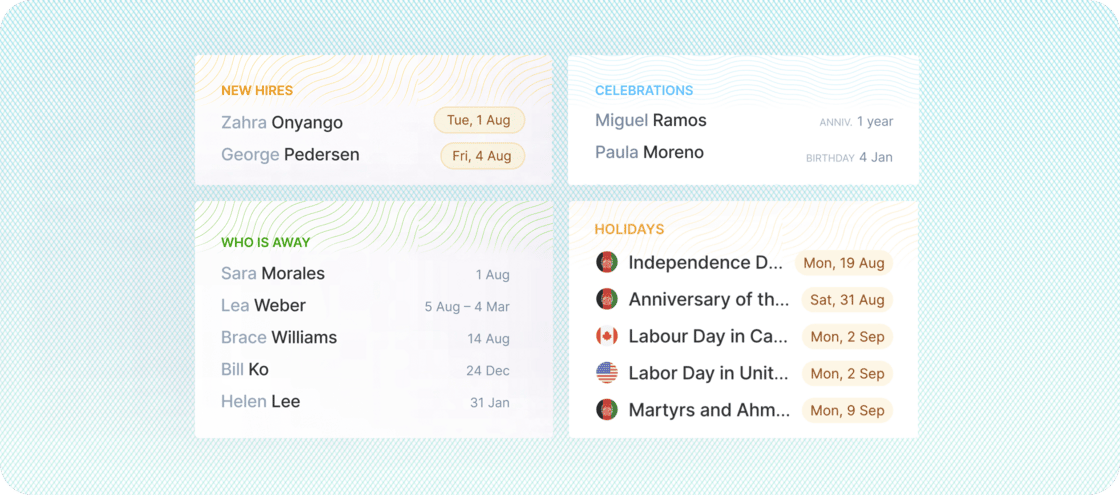
- New team members joining
- Work anniversaries
- Team members’ time off
- Public and bank holidays
The old Home experience will be replaced
The new Home experience has been in preview for several months, offering improved task and notification features, along with faster loading times. With the addition of the new glances and calendar, we’re ready to transition all remaining users to the new Home experience.Other improvements and fixes
- Admins using accounting automation can now easily navigate between accounting periods using previous/next navigation controls
- Long city names on the Onboarding page are now truncated when space is limited, with the full name available via tooltip
- Users can no longer be assigned to their first payroll period if it ends before their start date, preventing the creation of invalid zero-earning payroll items
- Flags now display correctly for team members located in Peru
Preview future payrolls for improved planning and accuracy
We just released the Payroll Preview report, enabling you to preview current and future pay periods to understand the effects of onboarding, offboarding, and compensation changes.We just released the Payroll Preview report, enabling you to preview current and future pay periods to understand the effects of onboarding, offboarding, and compensation changes.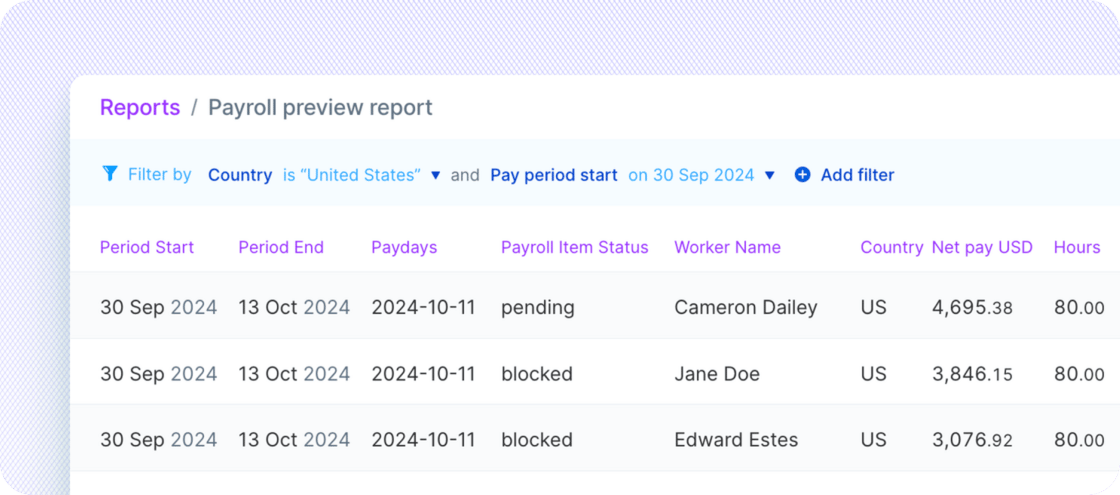
Other improvements and fixes
Education/Trainingwas added as an expense reimbursement category- We restored the display of
Payment dateon the Expenses report and improved the payment status filter to use a drop-down list of values instead of free-form text - We fixed a display issue where a team member’s compensation, such as annual salary, was incorrectly displayed on payroll items
- The contractor’s name in the Payments details page is now hyperlinked to their profile for improved navigation
- Overtime earnings now require hours to be added, resolving an issue where missing hours blocked payroll
- We fixed an issue where previously completed onboarding tasks remained open
- All reports now include
Employee number, which stores employee IDs from external systems
Process final paychecks after termination
You can now add terminated team members to off-cycle payrolls to process their final paychecks after termination.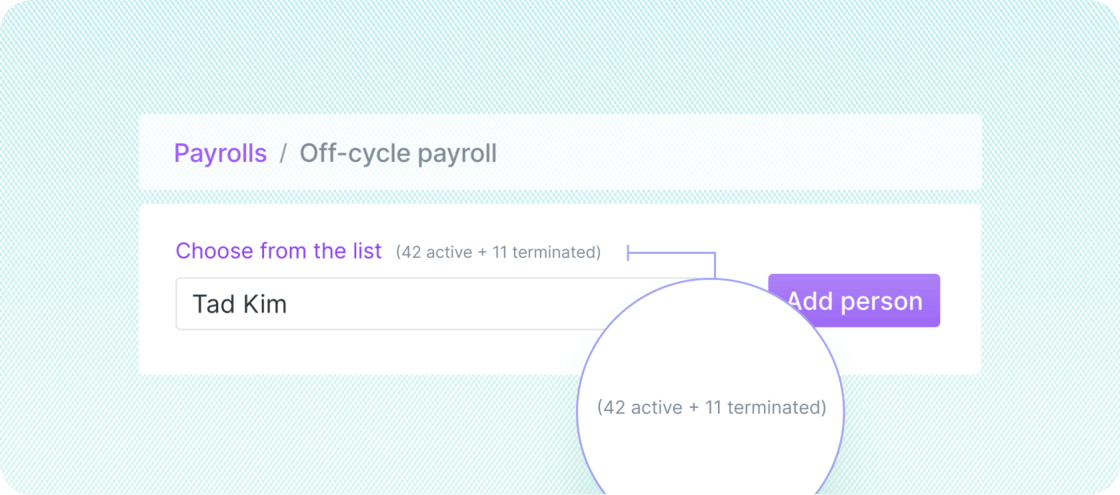
Other improvements and fixes
- Contractors must now provide an address before signing a contract, resolving a previous error caused by a missing address
- We fixed an issue that prevented recurring reimbursements from displaying on team member profiles
- Employee names and YTD totals now display properly on payroll earnings statements, and information on the bottom-right corner is no longer cut off
New team member experience released to all users
All contractors, employees, and vendor contacts have access to Plane’s new team member experience.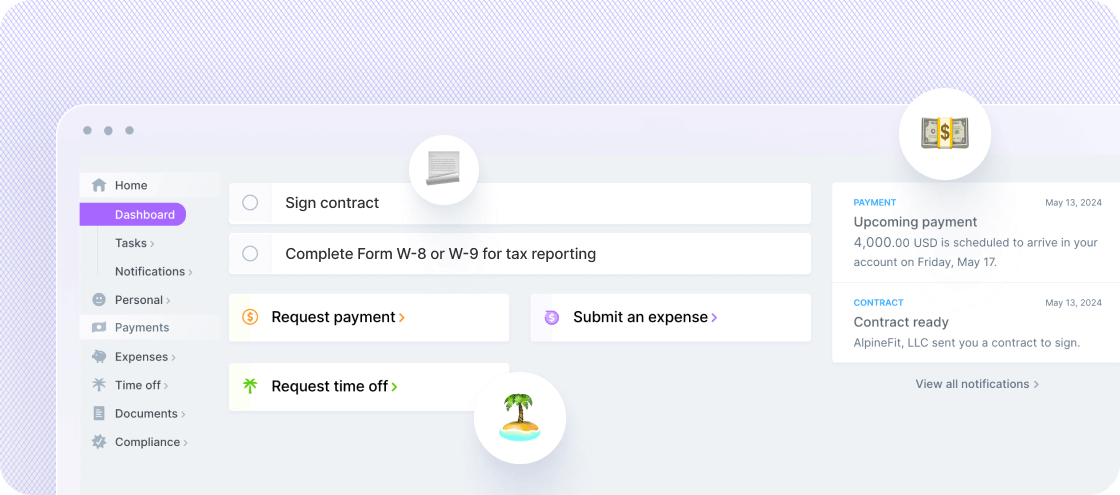
- A new dashboard that makes it easier to view actionable tasks and important notifications, with shortcuts to common actions
- Dedicated pages for tasks and notifications where you can browse all recent and historical information
- A new Personal page where users can update legal and preferred names and change their personal email associated with their Plane account
Other improvements and fixes
- We resolved an issue that prevented some users from viewing payment requests
- We fixed a defect that caused the check amount on earnings statements to show as zero
New HR experience migration completed
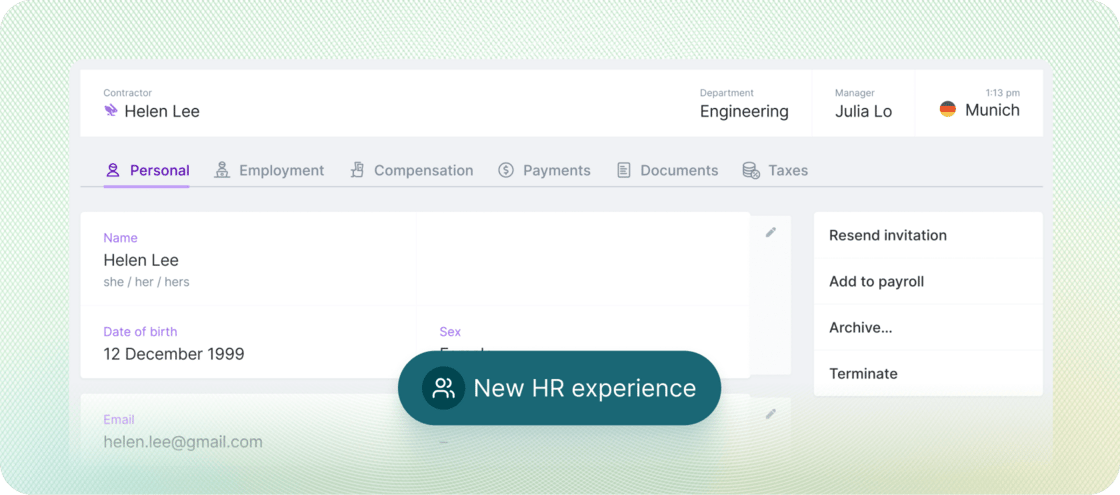
We finished migrating all customers to the new HR experience, which provides several improvements over the previous experience.- Track more detailed HR data for your team
- Schedule and manage compensation changes more easily
-
View when compensation changes were made and by whom
Other improvements and fixes
Vendor management
We made several improvements to vendor management and retired the legacy experience.- When you add a vendor, you don’t need to add a country or currency, because they are automatically pulled from their business address and bank account
- You can more easily edit vendor information such as their legal business name and contact details
- The actions in the right sidebar of vendor profiles have been reworked to make them easier to understand
Accounting automation
We added many usability improvements to the setup process.- First-time users now see information in the app on how to get started. When an app is not connected or when chart of account mappings have not been defined, users will see banners pointing them to the right setup pages.
- You can now make bulk edits for chart of account mappings, which means you can save a lot of time in the setup process
- We added visual progress indicators on the mappings page to show users how much of the setup process they have completed
- Check out our new help article: Setting up accounting automation