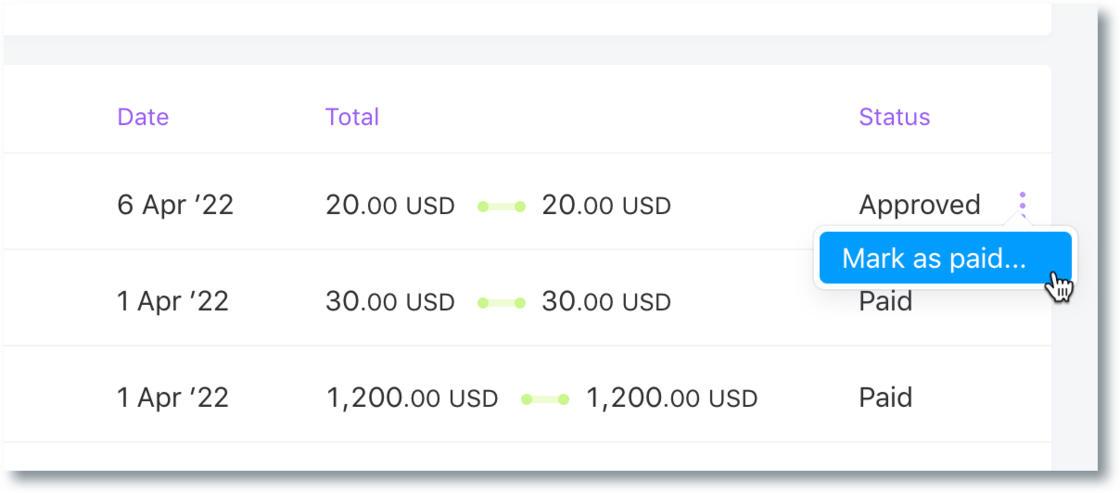
Mark an expense as paid
It is now possible to mark an expense as paid manually. This is useful when a direct reimbursement was made that wasn’t linked to an approved expense or if the payment was done outside of Pilot for some reason.Improvement
Bug fixes & improvements for March 18, 2022
Fixed application crashes on the taxes page when someone hasn’t added their business details yet.Fix
- Fixed application crashes on the taxes page when someone hasn’t added their business details yet.
- Removed the status field from the summary screen when updating a payment method; it used to say that a payment method wasn’t added yet when it clearly was.
- Fixed a bug with the Time off tab appearing in the sidebar for unverified organizations that shouldn’t be able to use the feature yet.
- Fixed the Help menu link overtaking the app vs. opening in a new tab.
- Fixed an issue with validating bank accounts in Angola
Hiring page filtering and sorting
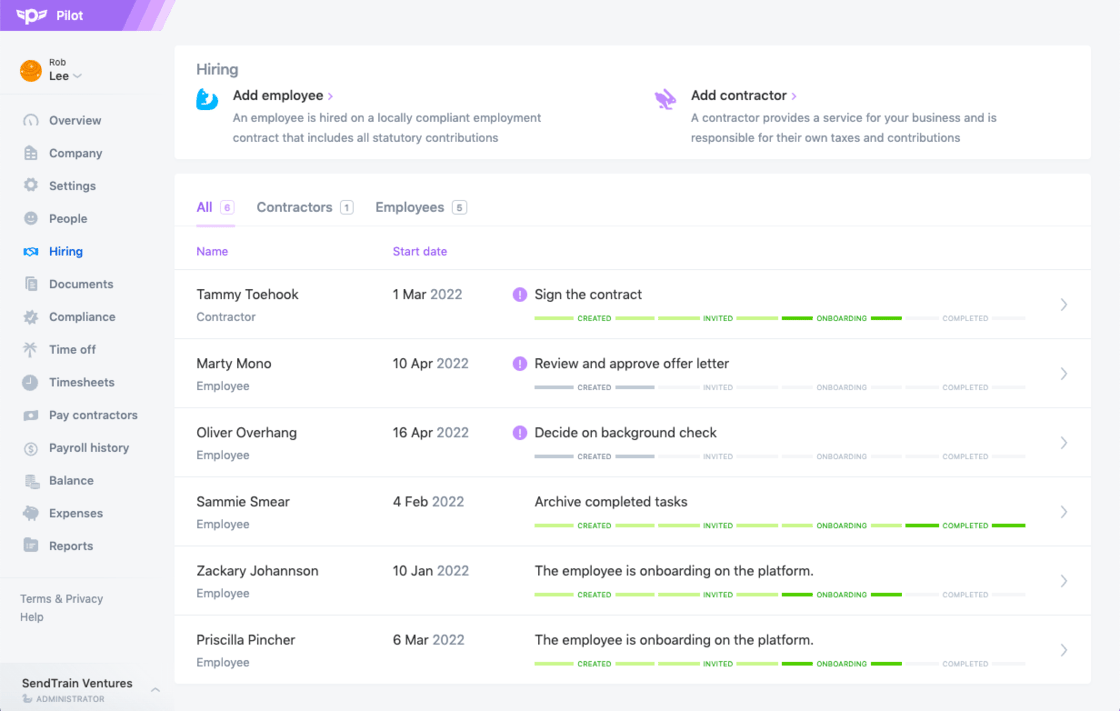
We made a couple of improvements to the Hiring page.Improvement
- Quick filters were added for employees and contractors
- The primary sort was updated to show people with open manager tasks first, and the secondary sort was updated to be Start date, ascending.
Additional incentives added to offer letter
Employee offer letters now display additional incentives when offered.Improvement
Track time off
You can now track requests for time off in Pilot, using our new Time Off feature. ✨New
This feature enables you to review and approve time-off requests for employees and contractors directly in Pilot, eliminating the need for a separate system to track time off.Want to set up this feature? Check out our help article.Daily email digest for hiring and onboarding tasks
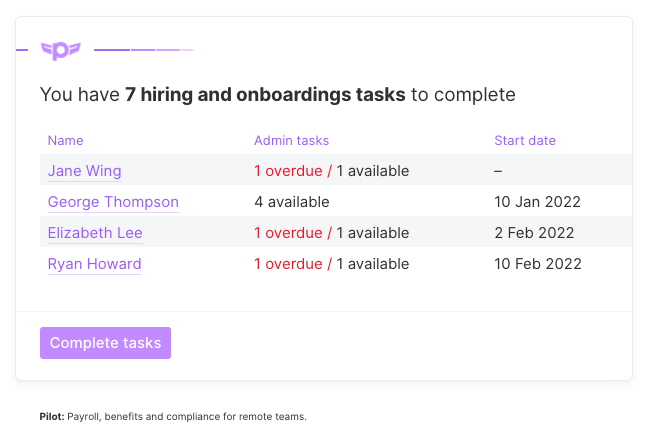
We added a daily email digest for admins and managers to help them stay on top of hiring and onboarding tasks.New
- Only open tasks appear in the digest when they have been available for more than 24 hours
-
The digest is only sent on weekdays when there is something to report
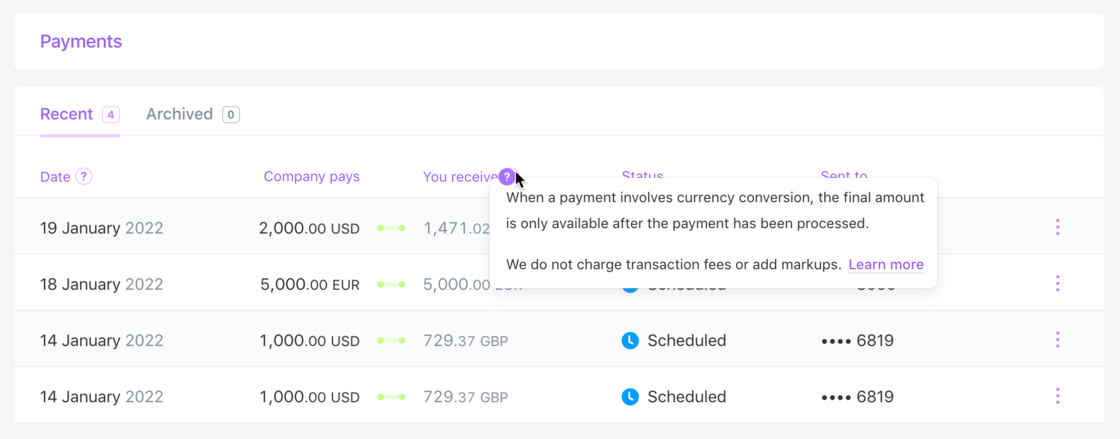
Help popovers added to Payments page
Help popovers were added to the Payments page in Pilot Work to clarify Payment Date and Payment Amount.Improvement
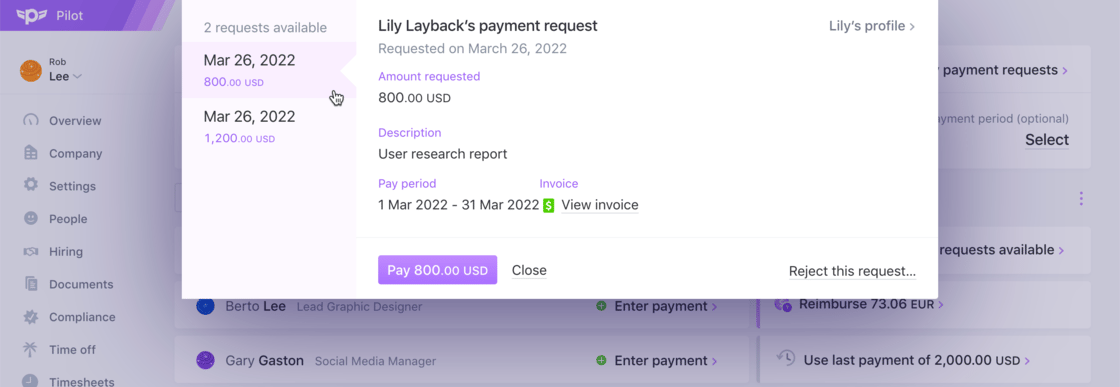
Improved handling of multiple payment requests
The table on the main Pay Contractors page was updated to enable admins to quickly access all pending payment requests.Improvement
- When a contractor has multiple payment requests available for review, the number is indicated to the right of the contractor’s name as a clickable element. For example, “2 requests available”.
- Clicking this opens a modal window that displays the available requests by date.
-
From here, the user can navigate to the request they would like to pay.